Robot Mop Leaving Streaks? 6 Causes and How to Get a Spotless Finish
Robot mop streaks usually come from a dirty, stiff, or saturated pad, so inspect its feel, color, odor, and absorption, then wash or replace it.
Gray smears mean redeposited dust; test on kitchen tile and clean the floor manually if grease remains.
Use the correct pad or roller and even moisture. Reduce water on sensitive floors, skip unapproved detergent, and flush the tank.
Finally, rinse the dock drain tray and check wheel tracks after drying.
More practical fixes follow.
Inspect the Mop Pad
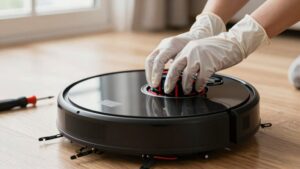
Before checking the robot itself, inspect the mop pad, since a dirty or oversaturated pad often smears grime instead of absorbing it. Feel the microfiber. If it feels stiff, looks grey, smells sour, or no longer absorbs evenly, replace or wash it.
Machine-wash reusable pads thoroughly, following the manufacturer’s instructions, and skip fabric softener, which can coat fibers and reduce pickup. Don’t merely rinse a heavily soiled pad; wash it completely before the next run. Afterward, let it dry fully before reinstalling it, because lingering dampness can redistribute collected grime.
Check the attachment surface, too: secure the pad flat and centered so it maintains even contact. Replace disposable pads rather than washing them. Retire any reusable pad that’s flattened, permanently stained, or no longer absorbent.
Check for Gray Residue
If the floor has light gray smears, powdery streaks, or a dull film after mopping, check for gray residue rather than assuming it’s plain water.
Gray residue usually means fine dust, grit, pet dander, or carbon has been picked up and redeposited. A saturated pad can release particles on later passes, especially along trailing edges and corners. Check the floor under directional light, then inspect the pad and tank after the run.
If the pad looks gray, stiff, or heavily soiled, replace it with a clean one instead of continuing. Vacuum or sweep loose dust before the next wet cycle. Use plain water or a robot-approved low-foam solution; dish soap or oily cleaners leave film that attracts dust. Flush the tank after accidental use.
Test on Kitchen Tile
Kitchen tile gives you a useful test surface for tracing gray residue and streaks. Choose an area, then run the robot with its water setting. Let the tile dry without foot traffic so you’ll see dull tracks.
| Observation | Likely clue | Your next step |
|---|---|---|
| Gray film | Soil transfer | Wipe and clean the pad |
| Oily haze | Kitchen grease | Manually clean first |
| Cloudy finish | Excess detergent | Use plain water |
| Dull tracks | Too much water | Select medium flow |
Before another run, perform a cloth check: wipe the streak. Gray dust or an oily mark confirms manual cleaning. Wash or replace the dirty pad, then test again. If cleaner caused the haze, use plain water for one or two cycles or follow dilution. Dry tile fully before judging results. Repeat the test before cleaning other areas.
Microfiber Versus Roller Mops
Compare microfiber and roller mops by checking absorption, floor coverage, and how evenly each cleaning surface stays damp. Microfiber traps fine dust effectively, while a roller can cover larger areas but may smear grime if it’s dirty or unevenly saturated.
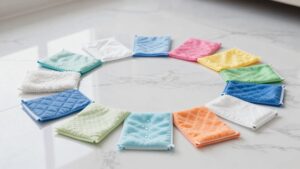
You’ll get better performance and longer service life by washing microfiber without fabric softener and cleaning or replacing rollers regularly.
Absorption And Coverage
The mop’s absorption system determines whether it lifts dirt or simply spreads moisture across the floor. Microfiber pads trap fine particles, but they need even absorption. If yours feels stiff, clogged, or saturated, it’ll smear residue instead of holding it. Give a dampened pad five to ten minutes to stabilize; streaks may lessen as fibers absorb water.
Replace flat or stained pads, and wash them without fabric softener, which can coat fibers.
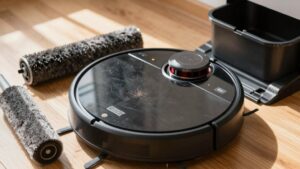
Roller mops depend on continuous fabric contact and controlled moisture release. Check that the roller stays evenly damp. Dry sections leave patchy lines, while an oversaturated roller can leave moisture trails.
Clean the roller and replace worn material. Match water flow to your floor: use less moisture on laminate, vinyl, or wood.
Cleaning Performance Compared
Once you’ve matched pad moisture to the floor, mop design determines how well dirt stays trapped instead of being spread around. Microfiber pads trap fine dust and residue within their fibers, so they usually reduce dirty-film redistribution and dry more evenly, minimizing cloudy smear trails. Choose this design when you’re cleaning smooth floors with light to moderate soil and want consistent, low-moisture contact.
Roller mops can cover large areas efficiently, but they depend on even contact and steady saturation. As the roller absorbs dirty water or loads unevenly, it may leave repeating lines along the robot’s path. A continuous-loop roller that rinses and scrapes itself during cleaning keeps the contact surface cleaner than a dock-only system, improving streak resistance across multiple rooms.
Compare results.
Maintenance And Durability
When you compare long-term upkeep, microfiber pads are simple to wash but demand consistent care: a grey, stiff, or unevenly absorbing pad will smear grime instead of trapping it. Wash each pad with detergent, skip fabric softener, and dry it fully before reuse.
Replace it every one to three months when buildup or worn fibers keep causing streaks.
Roller mops need even contact and saturation. If you start with a dry roller, it may leave trails until it absorbs water. Rolling systems rinse during cleaning, limiting redepositing, while dock-only washing leaves soil on the roller longer across areas.
Check roller stiffness, wash buildup away, and replace it on schedule. Match water flow to your floor; inspect leaks or uneven wetting before blaming the mop.
Hard Water Mineral Deposits
Hard water can leave a chalky white film or cloudy streaks as mineral-rich water evaporates. If your robot’s tank, lines, or dock contain scale, it may redeposit minerals across multiple rooms.
Use the recommended water or solution dilution, and descale the system according to the manual to prevent deposit streaks.
White Mineral Film
After the water evaporates, calcium and magnesium can remain as a white or cloudy mineral film, especially near the robot’s dock, valves, tubes, and narrow water channels. Even with a clean pad, scale inside the reservoir, wash tray, or water paths can restrict flow and redeposit chalky spots. Test the haze by wiping it with a damp microfiber cloth; if it smears like chalk, you’re seeing deposits.
Descale according to the manual, then clean dock, tray, valves, and channels. Start with the recommended or medium water level, reducing it if dull tracks return after drying.
| Sign | Check | Fix |
|---|---|---|
| White haze | Dried floor | Wipe damp |
| Chalky smear | Microfiber test | Descale system |
| Dock spotting | Tray or channels | Clean thoroughly |
| Tracks return | Water level | Reduce setting |
Mineral-Rich Water
Mineral-rich water can leave chalky white streaks or a cloudy haze as calcium and magnesium deposits dry on the floor, especially along grout lines, textured tile, and narrow dock channels. If fresh pads and an approved solution don’t improve persistent dull or white trails, suspect hard-water deposits rather than dirt or cleaner film.
Minerals can also collect inside the dock, tank, valves, and tubes. During a cycle, dissolved calcium and magnesium may re-enter the water and redeposit as the mop dries. Follow your robot’s manual to descale its water system; routine pad washing won’t remove internal buildup. Use the floor-appropriate water setting, because excess water leaves mineral-rich moisture on the surface longer, making spots more visible. Remove loosened residue using the floor manufacturer’s approved method.
Preventing Deposit Streaks
Use the water type recommended in your robot’s manual, and choose distilled or filtered water in hard-water areas if the manufacturer allows it. Hard-water calcium and magnesium can dry as chalky white streaks or a cloudy film, particularly when excess moisture evaporates. Choose the lowest water-flow setting that still cleans effectively, especially on laminate or other moisture-sensitive floors.
If marks appear after drying, reduce the water volume and check whether puddles or long wet trails remain.
Clean the dock’s wash tray, channels, and tanks regularly so scale doesn’t re-enter the system. Descale water paths as your manual directs, and avoid unapproved cleaners that may damage seals. Wipe standing water from the dock, and inspect valves if deposits return. Maintenance keeps minerals off your floor.
Compare Streaks Under Sunlight
Sunlight makes it easier to identify what’s causing your robot mop’s streaks: a cloudy, uniform film usually points to cleaner residue or hard-water deposits, while dark lines that follow the robot’s route suggest a dirty, saturated pad or roller. Watch a patch as it dries. Footprint-like marks mean you’ve walked across damp residue too soon.
Chalky white or rainbow-tinged spots suggest mineral buildup from dried water in valves, tubes, or dock channels. Use a cloth: grey dust confirms redistributed soil, while an oily smear indicates film. Then clean or replace the pad, reduce moisture for the floor type, and inspect parts.
| Sunlight clue | Likely cause |
|---|---|
| Cloudy film | Residue or minerals |
| Dark tracks | Saturated pad |
Skip Detergent in Tank
Those cloudy trails you spot in sunlight often start with what’s in the tank. Skip detergent unless your robot’s manual explicitly approves it and gives a precise dilution. Added soap can dry into a cloudy, sticky film, especially on smooth, sealed floors. Suds may also interfere with the pump, causing uneven water flow and more obvious lines.
If streaks began after you used cleaner, empty the tank and refill it with plain water. Run two or three mopping cycles to flush residue from the mop head and internal water path. Then use only a robot-approved solution, or the manufacturer’s recommended amount of a residue-free cleaner. Don’t add extra detergent mid-job; more product won’t improve cleaning and can worsen haze and prolong the problem.
Clean the Dock’s Drain Tray
Because dirty wash water passes through the dock, a clogged drain tray can send hair, lint, and mineral residue back onto the mop pads. Locate the tray beneath the dock and remove it according to your manual. Empty trapped debris, then rinse the tray thoroughly with warm water. Wipe it dry so leftover grime won’t mix with the next wash.
- Inspect the drain opening and clear hair or dust lint.
- Scrub chalky white scale gently; descale only as your manual directs.
- Check for standing water or slower drainage, which signals buildup.
- Clean the tray every few weeks, even when pads look clean.
- Run one dock wash/refill cycle without mopping, if supported, to flush the water path and confirm residue no longer returns to pads.
Check Wheel Tracks After Drying
After the floor dries, inspect the robot’s route for parallel lines that follow the mop path and traction wheels. These tracks often indicate leftover moisture or a thin film deposited where the robot travels. A cloudy or dull appearance points to cleaner residue or hard-water minerals, while dry, patchy marks suggest insufficient water or uneven pad saturation.
Run a plain-water mopping cycle, or lower the app’s water or solution setting, then check the areas after they dry. Remove and inspect the mop roller or pad; grime buildup can block water distribution and make wheel tracks visible. Wash or replace a clogged pad. Finally, keep people and pets off the floor until it’s dry. Early foot traffic can turn faint wheel marks into obvious streaks.
Conclusion
Streaks don’t mean your robot mop is failing. Inspect the pad, remove gray residue, test different surfaces, and check for mineral buildup or wheel tracks. Use a clean microfiber pad, skip detergent unless your manual approves it, and empty the dock’s drain tray regularly.
When sunlight reveals remaining marks, clean the floor and let it dry fully before judging the result. With these habits, you’ll get a cleaner, more consistent finish on every cleaning run.