Why Your Cordless Vacuum Keeps Shutting Off: 7 Causes and the First Fix
Your cordless vacuum can shut off because a blocked or wet filter restricts airflow, fine dust loads pleats, or hair jams the brushroll.
MAX mode can expose battery voltage sag, overcurrent, thermal protection, or a failing motor.
Dirty charging contacts or the wrong charger can also interrupt power.
Turn it off, remove the battery, empty the bin, clean the roller, and inspect filters; dry washable media fully before reinstalling.
Shutdown timing pinpoints the next check.
Blocked Filters Trigger Shutdowns
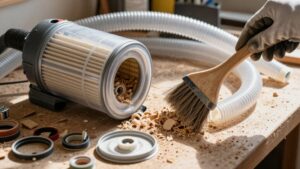
Clogged filters can restrict airflow enough to overheat the motor and trigger the vacuum’s thermal cutoff. If your cordless vacuum stops after several minutes on high power, treat restricted filtration as an early suspect. Turn it off, remove the battery, and inspect the pre-motor filter and any inner screen or HEPA element.
Briefly testing the machine without its filter can confirm the diagnosis: improved performance points to a blocked filter, but don’t operate it this way beyond a short test because unfiltered debris can damage the motor. Rinse washable filters according to the manual, then let them dry completely for at least 24 hours. A damp filter still limits airflow. Reinstall it securely, empty the bin, and retest. If shutdowns continue, investigate other faults.
Fine Dust Overloads Pleated Media
Fine dust can overload a pleated filter even when its surface doesn’t look heavily soiled. Particles from sanding, ash, smoke, or humid dust penetrate the pore network and pack around fibers.
This internal loading raises pressure drop faster than visible surface buildup, restricting airflow and reducing motor cooling. Your vacuum may then shut off as its protection system detects excessive heat, current, or airflow resistance.
Remove the filter and inspect pleats in bright light; a gray, embedded coating indicates saturation. Don’t strike or brush media aggressively because damage can bypass filtration. Follow your manual: wash washable filters and let dry. Replace disposable or cartridges. If shutdowns continue with a clean, dry filter, inspect dust path and seek service for a sensor or motor fault.
During High-Power Mode
If the vacuum runs normally on low power but shuts off within 5–30 seconds on MAX, its battery or motor protection may be tripping under the higher electrical load. High-power mode raises current demand, so voltage can sag enough to stop the vacuum. A clogged filter or airflow path adds motor load and heat, making a thermal cutoff more likely.
First, stop using MAX. Remove the filters, clean them, and let washable filters dry completely. Reassemble everything, then test on a lower setting; if performance improves with a filter removed, replace or clean that filter. If shutdowns continue, recharge the vacuum and check contacts for dirt or poor seating. Wipe the charger-port metal tip. Persistent high-power cutoffs suggest motor wear or a service issue.
Battery Protection Circuit
Your battery protection circuit may trigger overcurrent protection when BOOST mode causes voltage sag or excessive motor draw. Thermal safety cutoff can also interrupt power if the battery or electronics overheat.
After clearing restrictions and allowing the unit to cool, reset the battery circuit by reseating it or briefly placing it on the charger.
Overcurrent Protection Trigger
An overcurrent protection circuit can shut a cordless vacuum off within seconds when the motor draws more current than the battery or controller can safely supply. If it stops repeatedly on MAX or boost, suspect a load-related cutoff rather than a random switch fault. High motor resistance, a jammed brushroll, or restricted airflow can raise current demand.
You’ll test it on low suction with the air path clear first. Clean the filters and vents, then retry. If it runs normally, the load likely triggered protection.
An aging or damaged battery can develop higher internal resistance. Under acceleration, voltage sags, and the circuit disconnects power. Recharge it fully; if shutdowns return, replace the battery or seek service. Check manual for battery fault codes and guidance.
Thermal Safety Cutoff
A thermal safety cutoff stops the vacuum when the motor, battery, or control circuit overheats, often after seconds to a few minutes on MAX. It won’t run when heat threatens the cells, windings, or electronics inside. Restricted airflow from a dirty filter, blocked vent, full dust path, or tangled brushroll can prevent cooling and raise motor temperature rapidly.
On MAX, the motor also demands high startup current; a voltage drop can make the battery controller disconnect output when recovery lags. Watch for a delay before shutdown, rather than an instant stop. Stop using it and let the vacuum cool for at least 30 minutes, with the battery removed or resting as model permits.
Then inspect all airflow restrictions and reduce suction load before briefly retesting.
Resetting The Battery Circuit
When the vacuum cuts out under load, its battery protection circuit may be disconnecting power after detecting excessive voltage sag, especially in MAX mode. First, return it to the original charger for 10 seconds, then try again. This charge can let the pack and protection circuit recover.
If it shuts off after 20–30 seconds on power, suspect elevated internal resistance or weak cells delaying voltage recovery.
Before testing, wipe the charger-port contacts and plug area, then reseat the battery firmly. Improved contact can prevent a protection trip. Some models may respond to holding the trigger and MAX button for about 30 seconds while charging; use this only if your manual permits it. If cutouts continue, don’t rely on resets; seek professional battery testing or replacement.
Hair-Wrapped Brushroll Raises Load
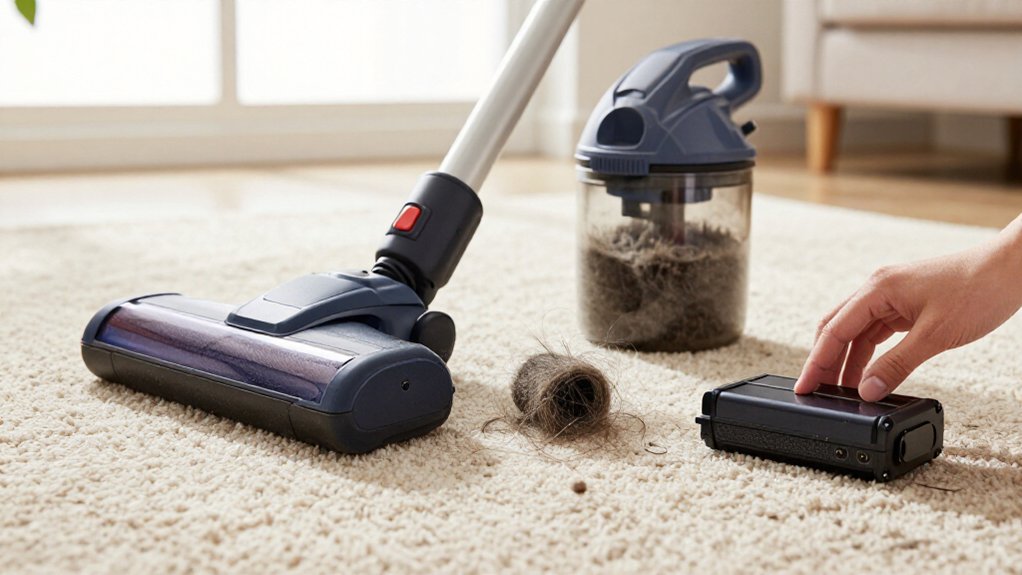
Hair wrapped around the brushroll increases resistance, forcing the motor to work harder and potentially triggering overload shutdown.
Remove the roller and spin it by hand; if it doesn’t move smoothly, clear hair and lint from the bristles, ends, and bearings. Clean the brushroll regularly to prevent recurring strain.
Hair Buildup Increases Resistance
Wrapped hair and lint can bind the brushroll, increasing mechanical resistance and causing its motor to draw more current. As the roller drags, overload protection may detect the abnormal demand and shut the vacuum off, briefly or permanently, especially on maximum suction. A tangle that the cleaner tolerates on low power can likewise cause immediate cutouts at higher settings, where available load is already limited.
Remove the battery before inspection. Open the floor head, then cut or pull hair from the bristles carefully. Rotate the brushroll by hand; it should turn smoothly with minimal resistance. Clear remaining fibers from the end caps and spindle, reinstall the roller, and retest on a low-pile surface. Keep the brushroll clean during maintenance to prevent recurring mid-use shutdowns.
Motor Works Under Strain
A jammed brushroll forces its motor to draw excessive current, which can trigger overload protection and shut the vacuum off. You may notice a brief high-power run, followed by a cutout when tangled hair or lint prevents free rotation. Disconnect power and remove the roller before testing it. Turn the roller by hand in both directions.
If it resists, binds, or stops immediately, the mechanical load is still excessive; clear the obstruction until it rotates smoothly. Reinstall the roller and verify that it seats correctly in its bearings or drive coupling.
As a simple diagnostic, lift the brush head slightly while operating the vacuum and confirm that the roller spins. If shutdowns stop after free rotation returns, the brushroll load, not the battery, is the likely trigger. Persistent binding points to a damaged bearing, spindle, or drive component requiring service.
Clean Brushroll Regularly
Regularly inspect the brushroll, since tangled hair and lint increase motor load and can trigger overload protection. If the roller binds, the motor may run briefly, then cut out repeatedly because mechanical resistance and amperage demand rise above normal. Turn off the vacuum, remove its battery, and expose the brushroll according to your manual.
Check both roller ends and the underside of the cover for wrapped hair, fibers, and lint. Cut away packed debris carefully; don’t pull against the drive belt or wiring. After cleaning, rotate the brush by hand. It should spin freely without scraping or resistance.
Refit the cover and test the vacuum with the head lifted. Regular cleaning, especially after carpets or long-haired pets, helps prevent shutdowns after seconds or minutes.
Check the Charging Contacts
Start by unplugging the vacuum, removing the battery, and inspecting the charging and battery contacts for dust, dirt, or light corrosion. These contaminants can cause voltage drop when the motor starts. Wipe metal contact points with a dry cloth; use a damp cotton swab for residue, then let everything dry completely.
| Symptom | Likely contact issue | Action |
|---|---|---|
| No charge | Dirty contacts | Clean and dry |
| Starts, then stops | Loose seating | Reseat battery |
| Intermittent power | Misalignment | Check pressure |
| Charge drops | Corroded surface | Seek service |
Reseat the battery firmly, ensuring alignment and contact pressure.
If your model permits, remove the filter to access the area and verify that nothing prevents seating. Place the vacuum on its original charger and confirm charging. If cutouts continue, inspect the charger and seek service.
Wet Filters Restrict Airflow
After washing a filter, don’t reinstall it until it’s completely dry. A wet HEPA or foam filter can cause fine dust to clump inside the media, sharply restricting airflow. The motor then works harder, and overheating protection may shut the vacuum off within minutes on high power.
If you’re troubleshooting, check whether the shutdown follows filter cleaning; repeated early cut-outs strongly implicate moisture. Rinse washable filters with mild soap and water only when your manual permits, then air-dry them for at least 24 hours. Reinstall the filter only when it feels fully dry.
You can test airflow with the dry filter installed; run without one only if your manual explicitly allows it. If shutdowns continue, inspect other airflow restrictions and service the vacuum promptly.
Using the Wrong Charger
Does the vacuum shut off seconds after you turn it on? The charger may be the problem, especially if you recently substituted one. A mismatched voltage or current rating can leave the battery unable to deliver stable power when the motor starts. A non-OEM charger may also lack the control circuitry needed for proper charging, causing battery protection to cut output.
- Check the charger label for your model’s exact output voltage and current.
- Use only the original manufacturer-approved charger.
- Don’t borrow a charger from another Dyson or brand model.
- Inspect whether the problem began after a charger swap.
- Return to the correct OEM charger and retest on MAX.
If performance improves, the mismatch likely caused the shutdown. Stop using it; charging can stress cells.
Record the Shutdown Timing
Time the vacuum’s runtime from activation until it shuts off, and record whether the cutoff occurs immediately, after 20–30 seconds on MAX, or after several minutes.
Note what you were doing when it cut out, such as right after pressing the trigger, during power-head/roller use, or only on high/MAX suction. Record whether it restarts normally or only runs a few seconds (for example, 5–20 seconds) before cutting out again. Check whether charging changes the pattern: note if it cuts out again after next-day charging or runs only a few seconds immediately after leaving the charger.
Repeat each test two or three times using the same setting and location, and write down every runtime. A consistent timing pattern helps separate battery, airflow, thermal, and electronic causes.
Conclusion
When your cordless vacuum shuts off, don’t assume the battery’s dead. Record when the shutdown occurs, then inspect airflow, filters, brushroll, charging contacts, and charger compatibility in that order.
Clear blockages, remove wrapped hair, dry and reinstall filters, and use the approved charger. If high-power mode still triggers protection after these checks, stop repeated resets and have the battery or control circuit tested. That sequence identifies the cause without risking damage to your vacuum.