Robot Vacuum Poor Suction Decision Tree
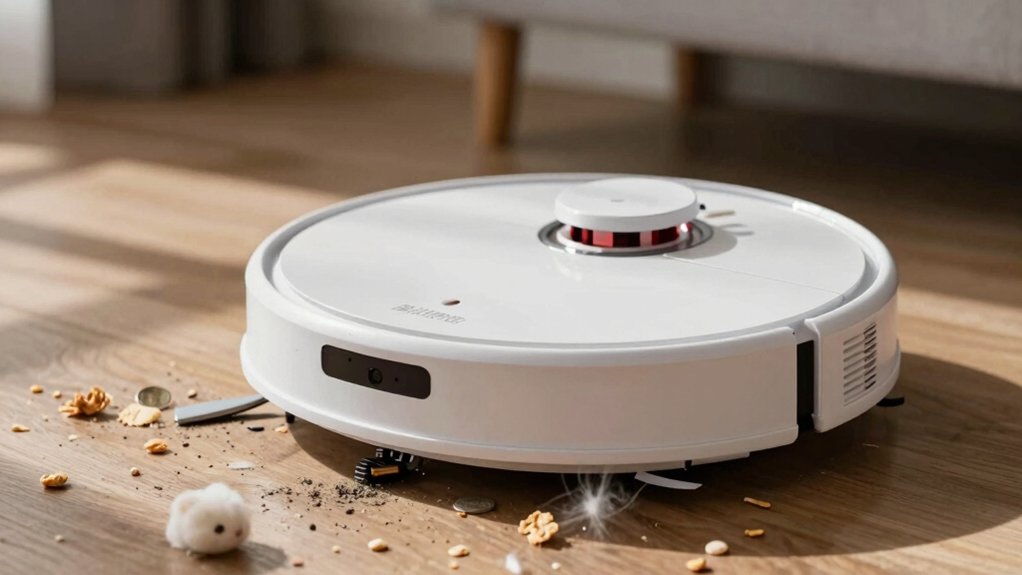
Start with a 60‑second suction test: run the main inlet with no attachments. If it’s strong, the problem’s the hose or brush. If weak, it’s the unit.
Next, empty the bin or replace the bag. Clean or replace pre‑ and post‑motor filters. Ensure washable filters are fully dry.
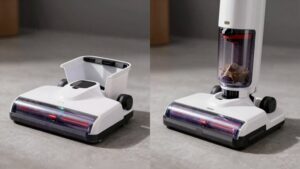
Inspect hoses, wands, seals, and brushrolls for clogs or hair wraps. Check belts and battery charge. If suction still lags, you’ll find targeted troubleshooting steps ahead.
Quick Overview
- Check attachments: strong suction at main port but weak at tool indicates hose/wand/attachment blockage or seal failure.
- Empty bin and clean/replace pre- and post-motor filters; washable filters must fully dry before reuse.
- Inspect hoses, intake slots, and brushhead for obstructions. Push clogs out with blunt tools and retest airflow.
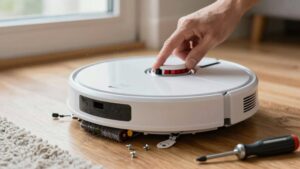
- Remove brush module, untangle hair from bearings, and check/replace worn belts or flattened brushes; restore rotation.
- If seals, battery power, and internal airflow path are good but suction stays weak, suspect internal motor/pump failure or need for service.
60‑Second Suction Test: Main Unit or Attachments?
Wondering whether the weak suction comes from the robot’s core or its attachments? You run a two-minute diagnostic: strong suction at the main unit port but weak downstream points to attachment issues; hose, wand, or intake debris. If removing and testing the main airway still shows weak pull, you’re looking at a main unit blockage or internal failure: dustbin seating, filters, seals, or pump.
Emptying the dustbin or replacing the bag often restores downstream airflow when the port reads strong; this confirms the culprit lives in the attachments. Don’t ignore dirty pre- and post-motor filters; a clogged filter can mimic main unit failure during attachment-focused checks. If all attachments test clear and suction remains weak at the reattached airway, suspect the main unit’s internal airflow path or a failed pump/seal.
Your next move is targeted: isolate attachments first, then inspect or service the main unit components.
Fix Suction Fast: Clean Filters, Empty Bin, Clear Airflow
How quickly can you restore suction? Start with the basics: dirty filters and a full bin kill airflow and suction, so act fast and methodically. Remove and clean or replace pre-motor and exhaust filters; washable ones need 24 hours fully dry before reinstalling. Empty the dustbin or swap the bag. Even partial fill restricts flow.
Inspect and clear airflow paths: hoses, wands, the intake slot visible through the bin. Push clogs out with blunt tools. Verify seals and gaskets are intact and lids latch fully to prevent air leaks that mimic low suction. Remove debris from the brush area only to the extent it affects airflow around the intake. See next section for brush repair.
Reassemble, run a short test, and compare suction. If it’s still weak, you’ve eliminated the primary airflow/filter/bin suspects.
You’ll fix most suction issues by prioritizing filters, bin, and unobstructed airflow before deeper diagnostics.
Restore Pickup: Check Brushes & Rollers, Untangle and Replace
Next, focus on the brushes and rollers: these parts directly transfer dirt into the suction stream, so they need to spin freely and sit correctly. Detach the brush module and inspect the brushes rollers for hair wraps and packed dirt. Untangle debris from ends and bearings. Remove hair wraps cleanly; clipped strands and grit will restore free rotation immediately.
If the brush pile looks flattened, frayed, or cracked, replace the brush element and confirm it seats squarely in its housing. For belt-driven rollers, check the belt for slack, glazing, or cracks and swap it if it slips. Reassemble precisely; then run the robot briefly on hard flooring to verify rotation before evaluating pickup on carpet.
Adopt a maintenance cadence: clear brushes weekly, clean roller ends, and plan roller replacement every 6–12 months based on usage. These steps eliminate the most common mechanical pickup failures and should noticeably improve debris transfer into the suction path.
Test Power & Seals: Battery, Motor Noise, and Air Leaks
Curious whether the motor’s power or a tiny air leak is the culprit? You’ll run targeted checks: confirm battery indicator reads ready (white) and avoid running with red low-power warnings. Battery health directly affects motor torque and runtime. Listen closely for unusual motor noise: grinding, screeching, or a pitch change points to motor or impeller wear rather than airflow issues.
Verify battery health and charge level; weak batteries will let the motor spin but won’t sustain suction pressure. Audit seals around the dustbin, filter gaskets, and main housing for gaps; even small leaks drop static pressure dramatically. Inspect filters, exhaust ports, and brush paths for blockages that can mask proper airflow despite normal motor rpm.
Run a simple tape-over-test: cover the intake briefly to feel suction. A weak pull with normal motor noise suggests leaks or wear.
Be methodical, isolate electrical power from airflow faults, and prioritize fixes that restore sealed, consistent suction.
When to Call Service: Warranty, Cost vs. Replace, and Next Steps
You’ve checked batteries, motor noise, seals, and filters. If suction still falls short, it’s time to weigh professional service against replacement. First, get Warranty guidance: if the device is covered, contact an authorized Narwal service center to preserve coverage and get genuine parts. Authorized service reduces risk of voiding warranty and ensures diagnostics are accurate.
Next, estimate repair vs. replacement. Compare quoted repair fees; motors or batteries can approach half the price of a new unit. Assess this against the replacement cost and expected remaining life. If repair exceeds 40–50% of replacement cost, replacement often makes more sense.
Consider product specifics: Narwal Flow’s 176°F self-cleaning filter and replaceable elements lower maintenance needs. Persistent suction beyond those systems suggests deeper mechanical wear. The final step is to prioritize a higher-suction model if you keep frequent heavy cleaning. Otherwise, authorize repair through Narwal service for validated, cost-effective fixes.
Frequently Asked Questions
Can Firmware Updates Affect Suction Performance?
Yes, firmware updates can change suction performance. You’ll see firmware quirks introduce suction anomalies by altering motor control, power curves, or brush timing.
Don’t assume every update helps; some optimize battery life at the cost of peak suction. You should check changelogs, test before and after performance, and roll back if needed.
If anomalies persist, contact support or reflash known-good firmware to restore expected cleaning power.
How Do Cleaning Schedules Impact Long-Term Suction?
Regular cleaning schedules preserve suction longevity by preventing debris buildup and motor strain. You’ll get steadier performance if you tune interval frequency to floor type and traffic.
Schedule optimization reduces clogging, filter overload, and brush wear; you’re avoiding big repairs. Don’t overdo daily runs on low-dirt floors or neglect high-traffic zones. Adjust runtime, suction mode, and filter replacement cadence to maximize long-term suction reliability.
Can Uneven Floors Reduce Suction Efficiency?
Yes, uneven floors can reduce suction efficiency. You’ll notice gaps, thresholds, or warped boards let the brushhead lift or seal poorly. This breaks the vacuum’s airflow and lowers pickup. Sensors and suspension can’t fully compensate; therefore, performance drops on textured or sloped surfaces.
To mitigate this, you should level transitions, use ramped thresholds, maintain brush clearance, and run targeted spot passes. Those steps help restore consistent suction efficiency.
Are Replacement Parts Model-Specific?
Yes, replacement parts are usually model specific. You’ll run into model specific issues if you fit generic parts: sensors, brushes, filters and seals affect suction performance and long term suction.
Firmware updates can change tolerances; thus, mismatched parts trigger sensor errors or reduced suction efficiency. This is especially true on uneven floors and with pet hair.
Maintain cleaning schedules and use OEM or verified parts to preserve suction performance and avoid recurring faults.
Is Pet Hair Causing Sensor Errors?
Yes, pet hair can cause sensor errors. You’ll notice hair collecting around bumpers, cliff sensors, or optical openings, which fools the firmware into false obstacles or no-go zones. You should power down, inspect sensor ports, and use compressed air or a soft brush to clear fibers.
Regular cleaning prevents intermittent faults and improves navigation. If errors persist after cleaning, update firmware and contact support for diagnostics or sensor replacement.
Conclusion
Run the 60-second suction test. Then systematically clean filters, empty the bin, and clear airflow paths. Inspect brushes and rollers; untangle hair and replace worn parts. Verify battery charge, motor noise, and seals for leaks.
If performance stays poor after these steps, weigh warranty coverage and repair cost versus replacement. Don’t guess: document findings, try sanctioned repairs, and contact service only when fixes fail or costs exceed sensible replacement thresholds.
You may also like: Cleaner Low Suction Decision Tree — a related guide worth bookmarking.