Robot Vacuum Parts Compatibility Explained
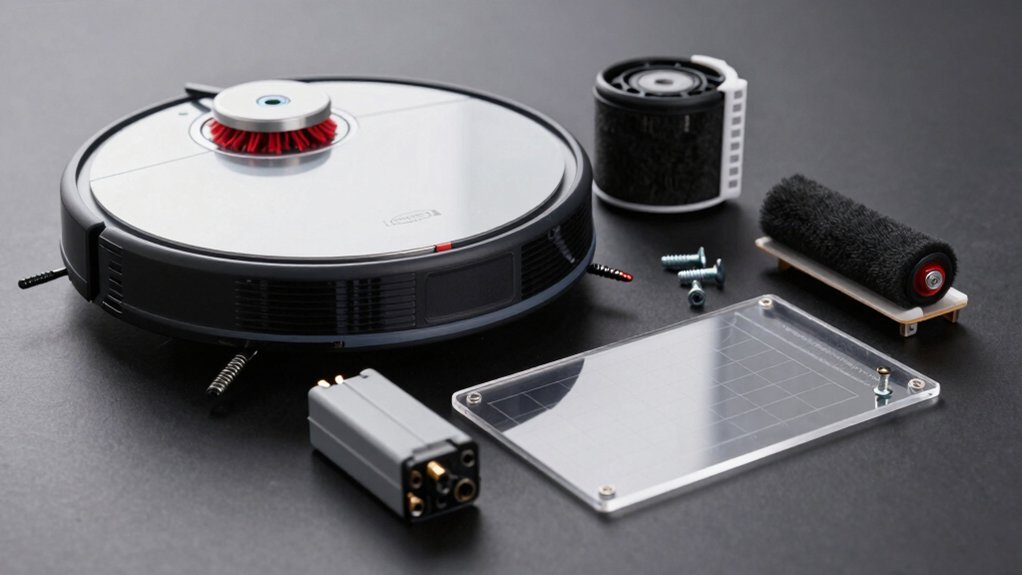
You should always match parts to the exact model, SKU, and visible part numbers before buying. This is important because chassis, mounts, connectors, seals, and docking interfaces must be mechanically identical.
Consumables like brushes and basic filters often swap; however, sensors, LiDAR, batteries, motors, and PCBs usually need exact part and firmware matches. Verify voltages, connectors, and seller spec sheets.
Prefer reversible-fit items and proceed carefully to avoid warranty or performance issues. Keep going to learn practical checking steps.
Quick Overview
- Confirm exact model, serial/SKU, and visible part numbers before buying replacement parts.
- Match mechanical interfaces (mounting holes, chassis, seals) exactly to avoid fit and leak issues. Ensure electrical parts (batteries, motors, PCBs) share voltages, connectors, and firmware compatibility.
- Treat sensors and navigation modules as model-specific due to firmware, calibration, and memory-map dependencies.
- Prefer consumables (brushes, filters, mop pads) from verified cross-model families and check seller compatibility charts.
Robot Vacuum Parts Compatibility: Quick Checklist
Wondering which replacement parts will actually fit your robot vacuum? Start with a concise checklist: confirm your exact model, note serial or SKU, and record visible part numbers. Prioritize components with reversible fit—brushes, HEPA filters, and mop pads—since Xiaomi and Dreame often share standardized designs. These usually avoid irreversible compatibility issues. Still, verify dimensions and mounting points because high-end docks, dust bags, water systems, proprietary battery packs, and dust bins frequently diverge.
Assess third party risks: multi-brand kits can save money and simplify maintenance across entry- to mid-range units, but quality and warranty impact vary. For batteries and water tanks, require explicit model compatibility or OEM spec matching. For older and mid-range models, compatibility is strongest. For newer premium models, assume differences until proven. The final step is to cross-check vendor part numbers, user reports, and return policies before purchase to prevent fit failures or voided warranties.
Which Mechanical Parts Must Match (Chassis, Mounts, Connectors)
Which mechanical parts absolutely must match when swapping components? You need strict chassis compatibility and identical mounting interfaces: screw patterns, hole spacing, and attachment geometry determine whether a part physically fits and can bear loads. Check chassis mounting points for identical thread size and placement before assuming interchangeability.
Connectors and linkages must align in size, pinout, and locking mechanism so power, sensors, and accessories function reliably. Verify electrical contact geometry for docking/charging contacts and self-emptying ports to preserve sealing and suction integrity.
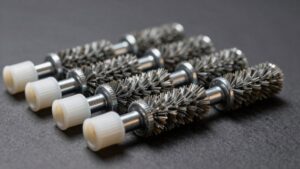
Wheels, casters, and underbody brushes depend on standardized axle diameters and spacing; mismatched axles will cause misalignment or failure. Dustbin seals and water-tank flanges require exact dimensions to maintain filtration and prevent leaks.
Note highly model-specific items: unique docks or tanks won’t swap even if chassis appears similar. Always compare technical drawings or manufacturer specs for mounting interfaces, connector pinouts, and mechanical tolerances before attempting replacements.
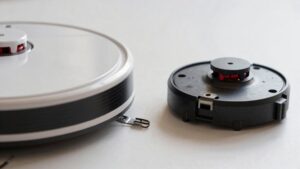
Mechanical fit is only part of the equation; sensors and navigation modules bring their own electrical, firmware, and mapping dependencies that make swaps far more complex. You’ll find LiDAR, cliff, infrared, and ultrasonic detectors are paired with model-specific electronics and firmware hooks that prevent straightforward replacement.
Even identical-looking modules often use unique memory maps, calibration tables, and proprietary map-building algorithms. Therefore, firmware compatibility becomes a gating factor. High-end platforms lock interfaces to protect sensor interoperability within their ecosystem. This means Narwal Tri-Laser or Roomba s-/i-series parts won’t speak the same software language as lower-tier units.
If you force a physical fit, you risk degraded performance, mapping errors, or complete navigation failure because the robot can’t access required calibration or run vendor-specific mapping code. For safe, reliable repairs, match parts to the exact model and firmware revision, verify vendor compatibility documentation, and avoid assuming mechanical similarity implies electrical or software interchangeability.
When It’s Safe : and When It Isn’t : to Swap Batteries, Motors, or PCBs
When is it safe to swap a battery, motor, or PCB: and when should you stop and verify first? You can perform safe swaps when part numbers, voltage, connector types, and firmware compatibility match exactly and the vendor confirms cross-compatibility. If any parameter differs, pause. Incorrect swaps can cause failures, charging issues, or warranty impact.
- Confirm exact model and part numbers: mismatches often mean incompatible voltage or pinouts; don’t assume fit equals function.
- Verify connectors and voltages: even same-brand-looking packs can differ; wrong voltage damages motors or PCBs.
- Check firmware and docking requirements: motors or PCBs with firmware ties to docking stations may block charging or void warranty impact.
- Follow safety steps: power down, unplug charger, and consult compatibility documentation or OEM support before installing aftermarket kits.
When in doubt, seek OEM parts or professional service; that minimizes risk to hardware and preserves warranty coverage.
Which Consumables Swap Easily (Brushes, Filters, Dustbins) : and Exceptions
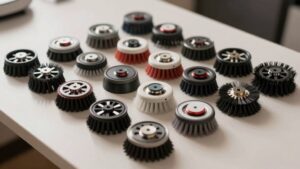
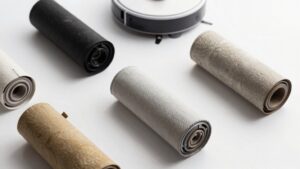
Curious which consumables you can swap quickly and which need extra care? Brushes and basic filters are the easiest to replace. You can usually swap main roller brushes, side brushes, HEPA and foam filters across entry- to mid-range models, especially within shared ecosystems (Xiaomi/Dreame) or with cross-model kits like LVTENGAI that install in minutes and restore suction and pickup. Expect quick, tool-free changes and measurable performance gains.
Exceptions: Dustbins compatibility and water tanks compatibility are more restricted. Dustbins, water tanks, and anything with seals, circuits or docking interfaces are often brand- or model-specific. Premium and newer models diverge further. High-end docks, dust bags and some batteries also won’t swap. When parts look similar but include sensors, seals or unique mounts, treat them as model-specific until verified. For best results, match part families or trusted cross-model kits rather than assuming universal fit.
How to Check Part Fit: Model Codes, Measurements, and OEM Families
Having covered which consumables commonly swap and which demand caution, You’ll need a reliable method to confirm fit before you buy. Use model codes as your starting point: confirm the vacuum’s series (e.g., Dreame/Xiaomi, Roomba s/900/i/800) and match it against the OEM’s compatibility lists for the exact part number. Then verify physical dimensions and family group.
- Check model codes and OEM compatibility lists first to rule out model-specific mismatches.
- Measure critical dimensions: diameter, mounting hole spacing, slot width and connector locations to ensure mechanical alignment.
- Confirm OEM family group (standard brushes, HEPA filters, mopping pads). Parts within the same family often cross-fit across brands; across families they usually don’t.
- Treat batteries, docks and water tanks separately: high-end or newer models commonly use brand-specific designs despite shared consumables elsewhere.
Follow this sequence, and you’ll minimize returns and installation issues.
Common Compatibility Problems and How to Fix Them
Why won’t a replacement part fit even though it’s listed for your model? You’ll usually hit one of three issues: connector mismatch, dimensional variance, or internal spec differences. Check model-specific part numbers and connector types first. A battery pack with different voltage pins or sealing won’t mate even if marketed for the same series. Measure mounts and tabs to avoid common alignment failures where clips don’t engage.
Account for brand differences and OEM vs third-party sourcing. Xiaomi/Dreame share many rollers, HEPA filters, and mop pads; however, high-end docks and some water systems remain exclusive. Third-party suppliers like techTongBo reduce variety, but verify ABS/polycarbonate shell fits and dustbin assemblies match.
How to fix it: confirm part numbers, compare connectors and mounting points, and test electrical specs (voltage/current). If uncertain, use multi-brand kits that list compatible models or request photos/spec sheets from sellers before buying to prevent dead-end replacements.
Frequently Asked Questions
Can Aftermarket Parts Void My Robot’s Warranty?
Yes, using aftermarket parts can void your robot’s warranty if the manufacturer deems those parts caused damage or violate terms. You should check the aftermarket warranty and official policy; parts compatibility matters technically and legally.
If you fit compatible, certified third-party components and keep documentation, you reduce risk. Still, unauthorized modifications often shift liability to you; therefore, contact support before installing non-OEM parts to preserve coverage.
Can I Mix Parts From Different Generations of the Same Brand?
You can, but you shouldn’t assume full mix compatibility across generations. You’ll often encounter brand specific parts that change connectors, firmware, or mounting points between models.
Check part numbers, revision notes, and official compatibility lists before swapping. If you mix parts, test sensors, brushes, and batteries carefully and watch for firmware errors.
Using non‑matched or out‑of‑generation components can degrade performance or trigger warranty issues; so proceed cautiously.
Do Firmware Updates Affect Hardware Compatibility?
Yes, firmware updates can affect hardware compatibility. You’ll face firmware versus hardware conflicts when new firmware changes protocols, drivers, or safety checks that older or third-party components don’t support. This creates a compatibility risk.
You should check release notes, vendor compatibility lists, and rollback options before updating. If you rely on mixed-generation parts, test updates in a controlled environment and keep backups to minimize downtime. This will help you avoid bricking peripherals.
Are Replacement Parts Safe Around Children and Pets?
Yes, replacement parts can be safe around children and pets if you follow manufacturer guidelines. You should verify replacement safety by checking certifications, material hazards, and secure installation.
Choose parts with pet friendly design features like rounded edges, chew-resistant materials, and tamper-proof housings. Keep small components out of reach; perform regular inspections and replace worn parts promptly. If in doubt, contact the manufacturer for safety data and compatibility confirmation.
Can I Sell My Robot With Swapped OEM Components?
Yes, you can sell your robot with swapped OEM components, but you should disclose modifications and note whether the warranty can be void. Buyers will weigh risks, compatibility, and safety. Clear documentation and photos protect you.
Market demand and the growth of the used market favor well-documented listings, especially for common upgrades. Price competitively, state component sources and test results, and offer a short return window to build buyer confidence.
Conclusion
When replacing parts, prioritize exact-chassis matches and verified mount/connector compatibility. Mismatched frames, sensor housings, or navigation modules usually won’t work. Batteries, drive motors, and PCBs can be swapped only when voltage, physical mounts, pinouts, and firmware align; otherwise, you’ll risk poor performance or damage.
Consumables like brushes, filters, and dustbins often fit across models but confirm dimensions and attachment styles. Always check model codes, measure mounts, and use OEM families or reputable cross-reference lists before installing.
You may also like: Compatible Robot Vacuum Parts Differences — a related guide worth bookmarking.