Robot Mop Streaking Decision Tree
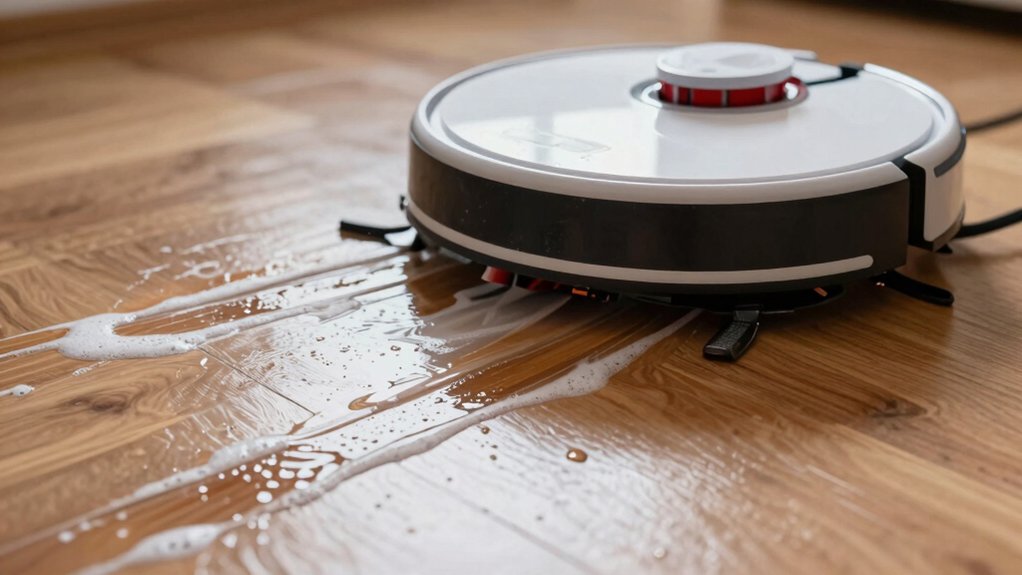
If your robot mop leaves streaks, follow a fast decision tree: Sweep or vacuum first. Run a dry pass, then do a wet pass with a fresh pad and only water or the manufacturer’s solution. If streaks persist, check whether they’re light residue, dark/tacky soil, or uneven wet lines.
Use a 4×4 paper-towel test to measure moisture output. Swap pads, confirm tank contents, and repeat one pass. Keep going below for step-by-step fixes and when to escalate.
Quick Overview
- Classify streaks as clean (residue/light) or dirty (dark/tacky/debris) to guide fixes.
- Run dry, wet, then a second pass while mapping where streaks appear to identify mode-specific causes.
- Before a wet cycle, sweep/vacuum, load only water or approved solution, and use a fresh pad.
- Use a 4×4 paper-towel moisture test to quantify leftover water and detect uneven delivery across passes.
- If streaks persist, follow decision steps: hardware checks for dry-mode streaks; pad/water checks for wet-mode; and firmware rollback/escalation if patterns changed after updates.
Quick Fix: Stop Robot Mop Streaks Now
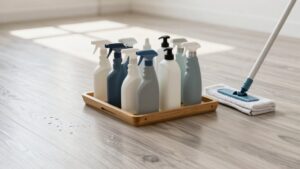
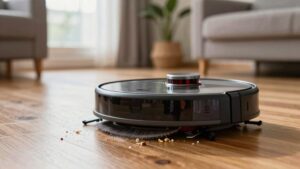
Start by using only water or the cleaner your robot’s maker recommends and run a dry pass before wet mopping. This removes dust, prevents smear lines, and cuts streaking immediately. For a true quick fix, sweep or vacuum first so the wet pad doesn’t drag grit that creates streak causes.
Load the tank with the recommended capful of solution; too much or the wrong product can leave residue and damage floors. Swap to a fresh pad for each cycle and toss single-use pads after cleaning to avoid transferring dirt back onto the floor. If you still see streaks after a second wet pass, double-check you used the approved solution and fresh pad. Persistent streaks often come from unapproved cleaners or reused pads.
When streaks persist despite these steps, contact customer care with your robot’s serial number so they can verify settings and advise next steps. These actions give you fast, measurable improvement.
Identify Streak Type And Where It Happens
Wondering whether those lines are new dirt or just streaks from the mop? Start by identifying streaks as either clean (lighter, caused by solution or pad marks) or dirty (dark/tacky, transferred debris). Walk the route after a dry run, wet run, and a second pass to note when lines appear; time-of-run clues narrow causes fast.
Map where streaks show up: along plank seams, high-traffic zones, or specific quadrants. Use simple visual checks and touch tests to distinguish residue from embedded soil. Pay attention to cleaning patterns the robot follows. Repeated passes over debris or with a contaminated pad reproduce streaks in the same lanes. If streaks persist in one area despite repeats, suspect leftover debris, an improper pad, or an unapproved solution depositing residue.
Document streak type, exact locations, and the run mode that produced them. That lets you choose the next targeted fix quickly and confidently.
Run Three Quick Checks: Floor, Pad, Solution
Before you run another mopping cycle, quickly check three things that cause most streaks: sweep or vacuum the floor to remove loose debris, swap in a fresh pad (dispose of single-use pads), and confirm the tank holds only water or the manufacturer-approved solution. You’ll prevent most streaking by doing these fast checks.
- Do a floor check first to remove grit that drags and scratches.
- Inspect pad cleanliness; replace if stained, compressed, or smelly.
- Verify the tank contains only water or approved solution; no additives.
- Run a dry mode first on dusty areas, then a wet pass.
You’re targeting predictable fixes: debris, dirty pad, or wrong solution. Use a fresh pad each cycle and keep a small supply on hand for quick swaps.
If streaks persist after these steps, run one more pass and re-confirm pad cleanliness and tank contents before trying other diagnostics. These checks take under two minutes and solve most streak problems; you’ll get consistent, streak-free floors faster.
Measure Robot Mop Water Output (4×4 Paper‑Towel Test)
How much water does your robot mop actually leave behind? You’ll use a 4×4 paper‑towel test to quantify leftover moisture by weighing a towel before and after a 4×4 pass; that’s measuring output. This gives a clear metric for moisture variance and its streak impact on floors.
| Setting | Avg leftover (g) |
|---|---|
| Low | ~2.0 |
| Max | ~2.1 |
Across 31 robots, the mean leftover was ~1 g, with some models up to 3 g (notably Sharks); so brand and model matter. Compare low vs max to see practical differences. Many units show minimal change despite different settings. Focus tests on max water while noting streaks and performance to avoid incentivizing over-watering.
If you find wide moisture variance between runs or units, document results and consider firmware fixes as a next step to tighten output consistency and standardize low-water behavior. Use the data to decide targeted adjustments before broader troubleshooting.
Decision Tree: Fix Dry, Dirty, Or Wet Streaks – When To Update Firmware Or Call Support
If streaks persist, use this decision tree to quickly isolate whether the issue is dry, dirty, or wet so you can decide if a firmware change or support call is next. First, run dry-mode checks: vacuum, confirm drying phase works, and repeat. If streaks stay in dry mode, you likely need hardware diagnostics before firmware implications. Contact support.
When streaks appear only in wet mode, inspect pad condition and water output; adjust settings. If uneven water delivery causes lines, consider firmware adjustments that constrain flow and re-test with the 4×4 paper-towel measurement.
If streaking increased after a firmware update, revert or apply the next update. Link firmware changes to observed patterns before calling support.
If dirty or clean lines recur across rooms with similar floors, escalate to support for hardware diagnostics. This suggests a mechanical or sensor fault rather than a settings issue.
- Test dry vs wet modes separately
- Validate water-left objectively
- Revert problematic firmware
- Contact support for cross-room defects
Frequently Asked Questions
How Often Should I Replace the Mop Head Entirely?
You should replace the mop head every 3–6 months for typical use. You should replace it sooner if you see wear, odor, or reduced cleaning performance. Set a replacement cadence based on mop material longevity: microfiber lasts longer than cotton and synthetic blends.
Track usage frequency and floor type, and swap earlier for heavy traffic or pet hair. That way, you’ll keep streak-free floors, maintain cleaning efficiency, and avoid bacterial buildup.
Can Humidity Affect Streaking Performance?
Yes, humidity impact can change streaking performance. You’ll notice higher humidity makes surfaces stay wetter longer; thus, streaks can set or smear before drying. Low humidity speeds drying and can leave residue lines.
Adjust your cleaning schedule, reduce water flow, or use quick-dry passes in humid conditions. Additionally, dry with a microfiber cloth if needed. These steps help you get consistent, streak-free results regardless of humidity.
Are Certain Detergents Unsafe for Robot Mops?
Yes, certain detergents are unsafe for robot mops. You should check detergent safety and mop compatibility before use. Avoid bleach, ammonia, undiluted concentrates, and oil-based cleaners that can damage seals, motors, sensors, or microfiber pads.
Use manufacturer-recommended, pH-balanced formulas and proper dilutions. Doing so preserves performance, prevents streaking and corrosion, and extends device life. If unsure, test a small area or contact support for guidance.
Will Pet Hair Filters Reduce Streaks?
Yes, pet hair filters can reduce streaks if they improve filter performance and keep hair out of the mop’s water and pads. You’ll see fewer streaks when filters trap hair before it clogs jets or abrades pads. This allows solutions to distribute evenly.
Maintain filters per manufacturer guidance, empty hair frequently, and check for damage. Better filter performance yields more consistent cleaning results and less time redoing streaked areas.
Does Battery Charge Level Influence Cleaning Consistency?
Yes, low charge can hurt cleaning consistency. You’ll notice reduced battery performance leads the mop to slow down; this can shorten cycles or skip passes, which increases streaks and uneven dampness.
Keep the battery topped and run full-charge cycles for consistent pressure, speed, and fluid delivery. If you want predictable results, charge before large jobs, replace old batteries, and use scheduled runs so cleaning consistency stays reliable.
Conclusion
You’ve got the tools to stop streaks fast: identify whether they’re dry, dirty, or wet. Run the quick floor/pad/solution checks, and use the 4×4 paper‑towel test to measure output. Fix cloth, solution concentration, or water flow based on the decision tree. Then update firmware or contact support only if problems persist.
Follow these steps, and you’ll restore even cleaning performance quickly, with minimal downtime and fewer follow‑up fixes.
Related reading: Robot Mop Pad Cleaning and Replacement Schedule — a closer look at this topic.