Carpet Cleaner Low Suction Decision Tree
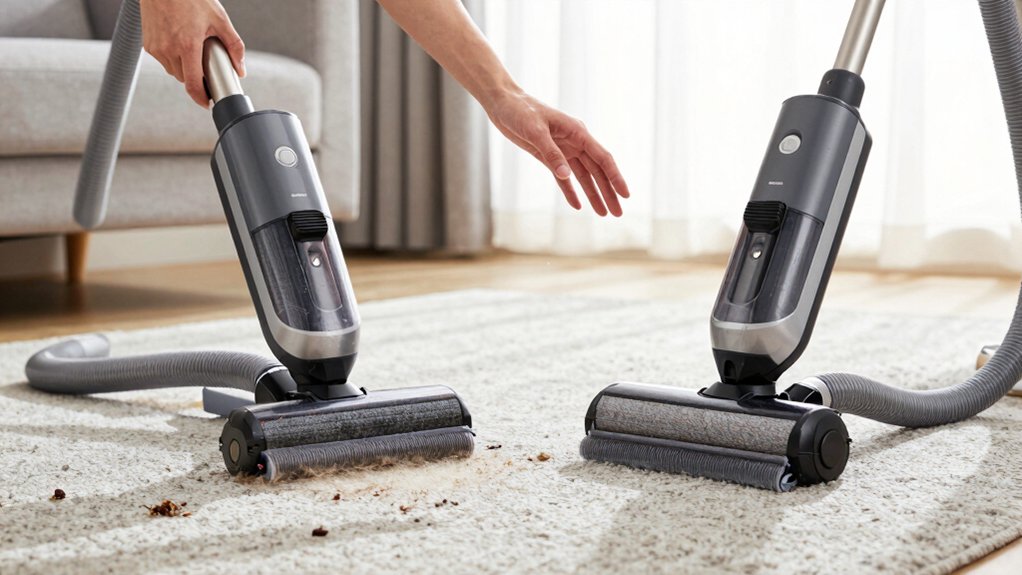
If your carpet cleaner has low suction, start by confirming the head switch matches the tool: Carpet ON for head, Hand Tool ON for hose. Also, ensure that the hose is fully seated in the lower grey cuff.
Check the dirty-water tank and surface to see if the carpet is saturated without liquid in the tank. Remove and rinse the clear dome filter. Then, reseat the dome and retaining wire to achieve an airtight seal.
Reattach parts and retest suction; further steps follow below.
Quick Overview
- Check head switch: set to Carpet Cleaning ON for machine use, or Hand Tool ON when a hose tool is attached.
- Verify hose rear connection is fully seated in the lower grey cuff with no gaps, kinks, or visible damage.
- Remove, rinse, dry, and refit the clear dome filter. Then ensure the dome seals airtight against the white tank.
- Observe the clear dome suction indicator and carpet wetness versus dirty-water level to confirm airflow loss.
- If suction persists absent after these steps, contact customer services (0800 800 245) for further support or repair.
Quick Fix: Restore Suction in 60 Seconds
Wondering why your carpet cleaner lost suction? Start by checking the machine head switch: set it to carpet cleaning ON and make sure any Hand Tool setting is OFF. Incorrect switch position commonly disables suction.
Next, verify the vacuum hose connection: lift the hose and seat it fully in the lower grey cuff at the back to restore the seal. Inspect the clear dome filter for fluff or debris; remove, rinse, and refit it to re-establish airflow. Confirm the clear dome sits airtight against the white tank and reposition the retaining wire if you spot gaps.
These subtopic insights target the most frequent, quick restoration steps and highlight potential maintenance gaps you can address without tools. If suction remains absent after these actions, you’ve exhausted immediate fixes; you should contact customer services on 0800 800 245 for further diagnostic support and possible repair.
Is the Carpet Wet? Check Dirty-Water Tank and Surface
How wet does the carpet feel when you press it: saturated or just damp? If it’s saturated but the dirty-water tank shows little or no liquid, you’re likely facing a suction issue; the machine isn’t pulling water up even though the surface remains wet.
Check the clear dome for a visible loss of suction label; its presence confirms compromised airflow. If the carpet is dry, the problem may be unrelated to suction, and you should consult the “No Spray” guidance instead.
Before concluding suction failure, run short diagnostics: verify head switch position and hose connections to rule out simple errors that make a dry carpet mask a deeper suction problem. A lack of water in the white tank combined with a wet carpet is the key diagnostic pair that points to impaired suction rather than over-wetting or normal operation. Act on those indicators first to focus troubleshooting efficiently.
Check the Head Switch: Carpet vs. Hand-Tool Mode
Which mode is selected on the machine head determines whether suction reaches the carpet or the hand tool. Confirm the black switch reads “Carpet Cleaning ON” when cleaning carpet and “Hand Tool ON” when the hose tool is attached. You will perform a quick mode verification by observing the head switch and switching it to match the tool in use. The switch directly controls power routing; if it is wrong, suction won’t reach the intended outlet.
Toggle between modes to see if suction returns. This isolates mode-related loss from other causes.
- Check the head switch position and set it to Carpet Cleaning ON for floor use. If the hose is attached, set to Hand Tool ON.
- Observe changes in suction immediately after switching. Lack of change suggests a different fault.
- If suction stays low after mode verification, proceed to the next diagnostic steps in the decision tree.
Inspect the Vacuum Hose and Rear Connection for Leaks
Ever checked the hose and rear cuff for a loose fit or visible damage? You should inspect leaks by first confirming the vacuum hose is fully seated at the back. Lift the hose upward and push it into the lower grey cuff until it clicks or feels snug. Recheck the hose connection visually and by hand to ensure an airtight fit; any gap will reduce suction.
Next, inspect the hose for visible cracks, splits, or punctures that could allow air to escape. If you find damage, replace the hose rather than attempting temporary repairs. Also, probe the hose interior for obstructions or debris that can restrict airflow. Clear blockages with a long brush or compressed air as needed.
Finally, verify the rear connection point sits securely against the machine with no gaps. A secure hose connection and intact hose eliminate common sources of suction loss and let you move on to other diagnostic steps.
Clean the Clear-Dome Filter: Remove Fluff and Rinse
Want to restore suction quickly? Remove the filter from inside the clear dome by pushing the spring against the clear plastic wall, then pull the filter free. Clear dome filter cleaning concentrates on removing obstructions that cut airflow. You’ll act methodically and without force.
- Remove fluff and debris: Use fingers or a soft brush to clear the outside of the filter. Dislodge compacted particles so air can pass freely.
- Rinse under running water: Wash thoroughly but gently to avoid damaging the media. Continue until expelled particles stop appearing.
- Dry and refit: Gently shake or pat excess water away. Then seat the filter flush inside the clear dome until it sits securely.
After filter cleaning reassembly, you’ll have reduced a common suction culprit. Don’t overtighten. The next step checks the dome’s seal against the white tank to confirm overall airtightness and prevent recurrence.
Ensure the Clear Dome Seals Airtight to the White Tank
How tightly does the clear dome sit against the white tank? You must confirm an airtight seal at that interface because even small air leaks reduce suction. Visually inspect the perimeter for gaps. Run your finger around the joint to feel for uneven seating.
If the dome’s loosened or misaligned, pull down the retaining wire. Reposition the dome so its flange sits flush on the tank, then secure the wire again. After reseating, recheck for any air gaps. Look for visible separations and feel for drafts while the unit’s off. An airtight seal eliminates bypass paths that undermine cleaning power; without it, the system can’t achieve rated suction.
If you can’t restore a proper seal after adjusting the wire and dome, don’t proceed to functional tests. Contact customer services at 0800 800 245 for guidance or repair options. Maintaining a consistent, gap-free interface prevents recurring performance loss and isolates the dome as a potential fault.
Reattach Parts, Run a Quick Suction Re-Test
Ready to retest suction. First, reattach any disconnected parts and confirm seals are secure. You’ll reconnect the hose at the back by lifting it and inserting it into the lower grey cuff, ensuring there’s no gap. Refit the clear dome after clearing its filter of fluff or rinsing if needed. Make sure it sits airtight against the white tank and the retaining wire is correctly positioned. Set the head switch to the carpet cleaning ON position before testing.
- Reconnect hose to lower grey cuff; check for snug fit and no visible gaps.
- Inspect and refit clear dome filter; verify dome-to-tank seal and retaining wire placement.
- Power on with head switch in ON position and perform a quick suction test to confirm restored performance.
If the reattachments and quick suction test don’t restore normal suction, proceed to the next troubleshooting step.
When to Repeat Checks or Call Support (Call 0800 800 245)
Not sure whether to keep troubleshooting or call for help? Start by repeating the quick checks: confirm the head switch is set to the carpet cleaning position, reattach the hose securely, and press the dome airtight against the white tank. If suction’s still low, inspect the filter beneath the clear dome for clogs or fluff; rinse or fit replacement parts as needed.
Re-seat the dome and position the retaining wire to eliminate air gaps. Then verify the hose is fully connected at the back of the machine and the dome seal is intact.
If low suction persists after these systematic steps, you’ve isolated the issue beyond basic maintenance. That outcome suggests either hidden damage, a failed internal component, or broader reliability concerns that aren’t user-serviceable. At that point, call customer services on 0800 800 245 for diagnostic support and authorised repair or replacement parts guidance. Don’t delay if performance remains compromised.
Preventive Tips to Avoid Future Low-Suction Problems
You’ve already worked through the checks that tell you when to call for help; now prevent those calls by keeping the machine in prime condition. Adopt a maintenance mindset: inspect the suction indicator (clear dome) before each job so you spot loss of suction early. Verify the head switch is set to carpet cleaning ON and that hand tools aren’t left in the wrong position. Clean the dome filter and remove external fluff regularly to preserve airflow. Confirm the dome seals airtight against the white tank after reassembly.
- Lift and seat hoses properly: insert the hose end into the lower grey cuff and check for a firm connection to avoid air gaps that defeat suction.
- Reposition the retaining wire if needed so the clear dome forms a tight seal. Then perform a quick airflow troubleshooting check by running the motor and observing the dome indicator.
- Schedule brief post-job inspections and routine cleaning of filters and seals to catch deterioration before it becomes a failure.
Frequently Asked Questions
Can Vacuuming Detergents Cause Long-Term Suction Loss?
Yes, vacuuming detergents can cause long term effects on suction if residues accumulate. You’ll notice reduced airflow when detergent builds on filters, hoses, or internal seals; this clogs passages and gums motor components.
Regularly rinsing removable parts, using manufacturer‑approved products, and avoiding overuse prevent buildup and preserve performance. If you’ve already lost suction, deep cleaning or replacing affected filters and checking for clogged ducts usually restores normal operation.
How Often Should Internal Filters Be Replaced, Not Just Cleaned?
You should replace internal filters every 6–12 months depending on use and contamination levels. Create a replacement schedule based on run hours and visible wear rather than just cleaning. Heavy commercial use may need quarterly swaps; light home use can stretch to yearly.
Treat replacement as part of non-cleaning maintenance to preserve part longevity, prevent performance drop, and avoid secondary damage from degraded filters. Track replacements for consistency.
Will Using Non‑Official Parts Void the Warranty?
Yes, using non official parts can affect your warranty impact. You’ll want to check your manufacturer’s terms: many warranties allow third party parts if they don’t cause damage. However, some explicitly void coverage for repairs tied to non official parts.
Document installations and keep receipts for any replacements. If a failure occurs, the manufacturer may deny claims they link to aftermarket components. Therefore, weigh cost savings against potential warranty loss.
Can Cold Temperatures Affect Suction Performance?
Yes, cold temperatures can reduce suction performance. You’ll notice thicker fluids and stiffer seals that limit airflow. Additionally, detergent effects may worsen buildup or freeze-thicken solutions; this further hinders flow.
You should run the machine in warmer conditions, store detergents at room temperature, and inspect seals and hoses for stiffness or ice. If performance stays low, check for clogging or worn parts before assuming mechanical failure.
Is Professional Servicing Recommended Annually?
Yes, you should get professional servicing annually. Annual maintenance by a qualified technician catches wear, filter clogs, belt issues, and motor problems before they reduce suction or cause failures.
You’ll get calibrated performance, validated seals, and manufacturer-recommended part checks that extend appliance life. If you use the cleaner heavily or in commercial settings, consider semiannual checks.
Keep service records to support warranty claims and to track recurring issues.
Conclusion
Start with quick checks: Ensure the dirty-water tank isn’t full and the surface’s not overly wet. Confirm the head switch is set to carpet (not hand-tool) and inspect hoses and rear connections for splits or loose fittings.
Remove and clean the clear-dome filter, rinse away fluff, and confirm it seals tightly to the white tank. Reattach parts, run a suction test, and repeat steps or call 0800 800 245 if low suction persists.
Preventive maintenance avoids recurrence.
You may also like: Vacuum Poor Suction Decision Tree — a related guide worth bookmarking.