Robot Vacuum Battery Health and Storage Guide
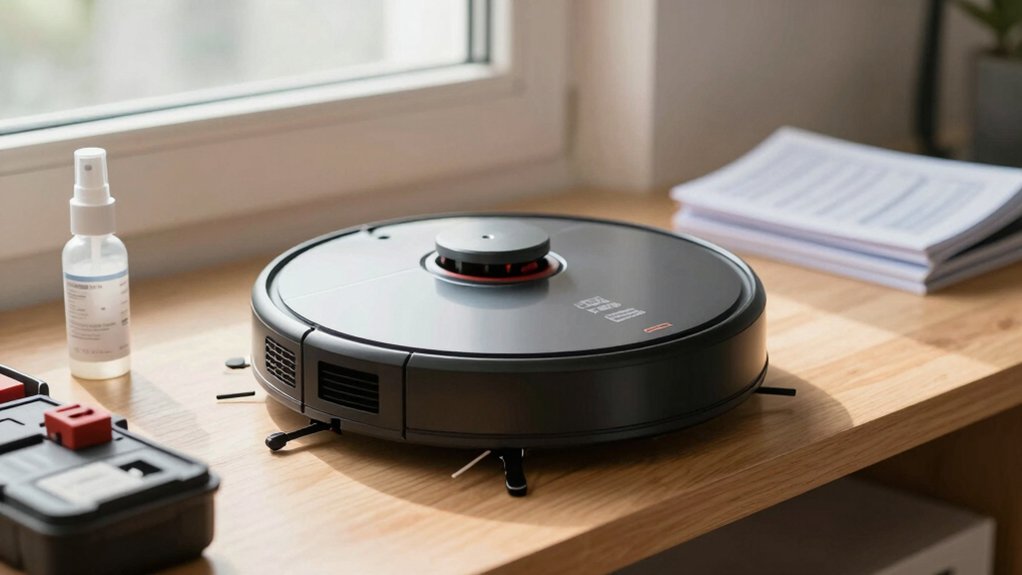
Treat your robot like a precision tool: dock it when idle, use the original charger, and keep contacts clean to prevent poor connections.
Lithium‑ion cells age faster with heat, full deep discharges, and constant topping cycles. Store in a cool, dry spot and charge to about 50% for long-term storage.
Maintain brushes, wheels, and sensors to avoid extra load. Test runtime against specs and follow OEM replacement guidance. Continue for step‑by‑step checks and model tips.
Quick Overview
- Dock the robot when idle and before scheduled runs to avoid deep discharges, and keep the battery at a safe state of charge.
- Store the robot and dock in a cool, dry place away from heat, moisture, and direct sunlight to slow battery degradation.
- Use only the original charger, and keep charging contacts clean for correct voltage, current delivery, and reliable connections.
- For long-term storage, charge to about 50% and top up every few months to prevent capacity loss.
- Monitor runtime, error messages, and weekly short test runs. Replace batteries through authorized service if capacity drops significantly.
Quick Checklist: Maximize Robot Vacuum Battery Before Every Run
Want your robot to finish every job without running low? Follow a compact pre-run checklist to enforce charging etiquette and mitigate battery age impact. First, confirm the robot sits on its dock after previous use; continuous dock connection prevents deep discharge cycles.
Inspect and clean charging contacts; use a dry cloth or compressed air to remove dust so the unit takes a full charge. Verify the dock location: cool, dry, unobstructed and away from heat sources to maintain charging efficiency. Always use the original charger to ensure correct voltage and current profiles.
If the robot has been idle, connect it to the dock before scheduling a run to avoid starting with a partial state of charge. Note battery age impact: expect reduced capacity with older packs and plan shorter runs or more frequent recharges.
For storage between runs, keep the unit at ~50% charge and recharge periodically to preserve long-term capacity.
How Robot Vacuum Batteries Work and the Top Causes of Wear
How do robot vacuum batteries actually deliver power, and what makes them wear out? You rely on Li-ion battery chemistry in most modern units. Cells convert chemical energy to electrical current through controlled electrochemical reactions managed by the battery management system (BMS). The BMS monitors temperature, voltage, and charging to prevent overcharge and deep discharge.
Wear accumulates as active material degrades and internal resistance rises; therefore, runtime drops and charging slows.
Primary contributors to wear include:
- High operating or charging temperatures accelerating chemical breakdown
- Excessive full discharge cycles instead of partial cycling
- Repeated charge topping without proper BMS regulation
- Long-term storage at high state-of-charge or heat
- Mechanical stress or poor contact at charging terminals
You should track charging cycles and watch for reduced runtime, longer charge times, or overheating. These are signs the pack is aging and may need replacement or service.
Daily and Weekly Maintenance to Reduce Battery Strain
Regularly perform a few simple maintenance tasks to keep your robot’s battery from working harder than necessary: clean brushes and filters after heavy use, clear hair and debris from wheels and sensors, and wipe charging contacts to assure solid connections. Do these daily or after intensive runs to reduce motor load and prevent unnecessary discharge cycles.
Schedule weekly inspections: run a short runtime test, read battery indicators, and note error messages that signal capacity decline. Avoid ruining habits like skipping filter cleaning or leaving obstructions that force repeated runs.
Don’t fall for common battery myths. Regular use combined with preventative cleaning preserves lifetime better than sporadic deep cycles. Keep the robot at the docking area between tasks to minimize full discharges and to let the system manage top-off charging.
Store the unit in a cool, dry spot; extreme temperatures increase internal resistance and accelerate wear. Track maintenance with a simple checklist to detect trends and act before runtime drops significantly.
Best Charging and Storage Practices for Robot Vacuum Batteries
Curious about preserving your robot vacuum’s battery life? You’ll follow strict charging etiquette and battery maintenance to maximize runtime and longevity. Keep the robot docked when idle to avoid deep discharge; this ensures it’s ready to clean. Store the unit in a cool, dry place. Avoid heat, humidity, and freezing temperatures that accelerate capacity loss.
Use the original charger and confirm the docking area is free of heat sources and moisture. Keep charging contacts clean; wipe both robot and dock contacts with a dry cloth regularly. Maintain the robot on the dock between uses to prevent deep discharge cycles. For long-term storage, charge to ~50% and plan to recharge every few months. Avoid storing fully charged or fully discharged for extended periods to reduce battery stress.
Follow these technical, methodical steps as routine battery maintenance and charging etiquette. They will limit capacity degradation and extend the battery’s usable lifespan.
How to Test Robot Vacuum Battery Health and When to Replace
Want a quick, reliable way to verify your robot vacuum’s battery? Start by fully charging the battery. Then run a standard cleaning cycle and record actual runtime. Compare that runtime to the manufacturer’s rated runtime for your model to assess battery health. Check the robot’s interface for warning indicators or error messages that explicitly reference battery issues.
Next, use a multimeter to measure open-circuit voltage and verify it matches the rated voltage. Significant deviation from the rated voltage signals aging or imminent failure. Note operational symptoms: noticeably shorter runtime, extended charging time, or overheating during use or charging. These are objective triggers to follow replacement guidelines.
Document test results, including runtime, measured voltage, and any error codes. If results fall outside manufacturer tolerances or symptoms persist after a controlled charge/discharge cycle, plan a battery replacement per the manufacturer’s instructions. Follow authorized service or factory procedures to ensure safety and compatibility.
Safe Replacement Options and Narwal Service Policy
After you’ve tested runtime and measured voltage, plan the replacement steps and service route precisely. Narwal requires battery replacements to be handled by authorized service personnel, so don’t attempt a DIY swap. You should identify symptoms such as reduced runtime, overheating, or physical damage and contact Narwal support or an authorized center for a safe replacement under Narwal policy. They’ll confirm diagnosis, schedule service, and recommend OEM parts and chargers.
Follow these handling priorities:
- Turn device off and isolate from power before service.
- Use only OEM battery and supplied or OEM charger post-install.
- Have authorized technician access and replace the battery compartment parts.
- Verify full charge cycle and runtime test after installation.
- Enroll in Narwal service plans or extended warranty when available.
This preserves warranty coverage, ensures compliance with Narwal policy, and mitigates fire, compatibility, and performance risks. You’ll get documented service records and correct disposal of the old battery.
Model Tips: Runtimes and Efficiency Tricks (Including Narwal Freo X)
How can you squeeze the most runtime from your Narwal Freo X models? Start with Runtimes optimization: use the Freo X Ultra for up to 210 minutes and the Freo X Plus for up to 254 minutes per charge. Acknowledging those figures assumes light-to-moderate workloads and intelligent power management is important.
Enable advanced mapping to reduce overlap and missed spots. Mapping improves path efficiency and extends real-world runtimes. Apply Efficiency tricks by letting the Freo adjust suction and water flow by surface type to avoid wasted power.
Schedule runs to avoid repeated heavy tasks in one cycle; heated mop washing and other high-power functions will cut actual cleaning time per charge. Keep the robot on its docking station between sessions and maintain ambient temperatures within the recommended range to preserve long-session capacity.
For best results, monitor task intensity and prefer multiple short, mapped runs over single, power-intensive sessions when maximizing battery longevity and consistent performance.
Frequently Asked Questions
Can Extreme Cold Permanently Damage the Battery Capacity?
Yes, extreme cold can permanently reduce battery capacity. You’ll see reversible performance drops at low temperatures. However, prolonged exposure or repeated deep cold cycles stresses electrodes and electrolyte, causing irreversible capacity loss.
To minimize damage, store batteries at moderate charge (30–50%); avoid subzero storage; and warm cells gradually before use. Monitor capacity over time. If you notice sustained decline beyond expected aging, replace the battery to restore run-time and safety.
Is It Safe to Use Third-Party Replacement Batteries?
You can, but you shouldn’t assume all third-party replacements are safe. Inspect certifications, cell chemistry, and protection circuits to verify third-party safety.
Choose reputable suppliers with documented testing and matching specs to preserve battery reliability. Install carefully, avoid damaged packs, and monitor temperature and charge behavior for irregularities.
If performance or safety doubts appear, stop using the pack and return it for a refund or replacement to prevent hazards.
Do Software Updates Affect Battery Longevity?
Yes, software updates can affect battery longevity. You’ll see firmware optimization that reduces power draw, adjusts charging thresholds, and refines motor control to extend cycle life. Conversely, poorly tested updates may increase background tasks or calibration frequency, raising wear.
Monitor release notes, enable optimized charging features, and roll back or pause updates if you observe regressions. Regularly calibrate and test battery behavior after major firmware changes to quantify impact.
Can Frequent Short Cleans Shorten Overall Battery Life?
Yes, frequent short cleans can increase battery wear over time. You’re cycling the battery more often, which raises cumulative charge/discharge cycles and internal resistance.
To mitigate wear, schedule longer, less frequent runs when possible. Keep firmware updated, and avoid full discharges. Store the robot at moderate charge and temperature.
Monitor cycle counts and battery health metrics. Replace the battery proactively if runtime noticeably declines.
How Does Wi‑Fi Always-On Mode Impact Battery Wear?
Wi‑Fi always‑on mode increases parasitic drain; so you’ll see slightly faster capacity loss over time. Wi Fi standby keeps the radio powered, preventing deep sleep and increasing battery cycling frequency as the system tops off to maintain network readiness.
To minimize wear, disable always‑on when idle, schedule network access windows, or use firmware that supports low‑power Wi Fi standby. Monitor cycle counts and state of charge for trend analysis.
Conclusion
You’ve got a clear, actionable plan to preserve your robot vacuum’s battery: follow the pre-run checklist, limit deep discharges, keep sensors and wheels clean, use recommended charging routines, and store at partial charge in moderate temperatures.
Test capacity periodically and replace cells or units when runtime drops markedly. For Narwal models, follow manufacturer service guidance or authorized replacement.
Apply these methodical steps consistently to extend battery life and maintain reliable cleaning performance.
You may also like: Robot Vacuum Battery Compatibility Chart — a related guide worth bookmarking.