Roborock Dust Bag Compatibility Chart for Docks
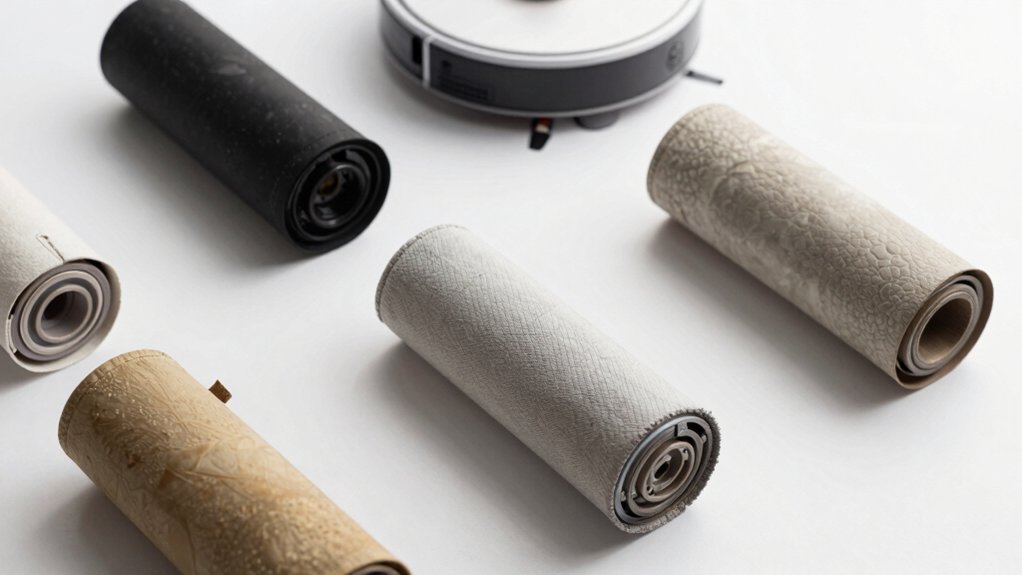
Match your dock to the bag size and seal: Ultra docks use 2.5 L bags, Q Revo uses 2.7 L, and a 3.0 L standard bag fits broader models.
Check the connector symbol and self-seal icon so the intake and latch align; mismatches cause leaks or poor seating. Material and dimensions also affect fit; use the dock’s rated capacity and official bags when possible.
Keep compatible spares on hand and continue for model-by-model specifics.
Quick Overview
- Match the dock’s rated capacity (2.5 L, 2.7 L, 3.0 L) to the dust bag size column on the compatibility chart.
- Confirm the connector symbol on the chart matches your dock’s intake alignment before purchasing.
- Check key symbols and check marks for at-a-glance fit; X marks indicate incompatibility.
- Verify bag features: self-seal type, material, and physical interface align with your dock’s seal and routing.
- Use only compatible bags for your specific dock model to avoid leaks, poor seals, or shortened bag life.
Quick Compatibility Chart: Which Dust Bag Fits Which Dock
Need a simple answer on which dust bag fits which dock? You’ll find it straightforward: Ultra docks use the 2.5 L dust bag, while the Q Revo uses a larger 2.7 L bag. That difference matters for dust bag compatibility and how you stock replacements.
Check dock design before you buy. All Ultra docks share the 2.5 L tray and bag form factor; therefore, replacement and interchange are consistent across Ultra models. Q Revo’s tray and magnetic dust bag cover are unique. The magnetic cover and slightly larger capacity mean its bags won’t seat properly in Ultra trays.
While both dock families support dust bags, model-specific tray geometry and connector placement affect fit. Also note plumbing kit compatibility is model-specific and doesn’t apply to Q Revo’s different design. So when ordering, match the bag capacity and the dock design to ensure proper fit and secure sealing.
Reading the Chart: Size, Connector, and Key Symbols
Now that you know which docks use which bag sizes, reading the chart is straightforward: First match the size column to your dock’s rated capacity (2.5 L, 2.7 L, 3.0 L, etc.); then check the connector symbol to confirm the bag’s intake alignment with your dock’s port. You’ll then scan the key symbols to see compatibility at a glance. Check marks mean good fit, X marks flag dock incompatibility, and special icons note requirements like self-seal.
Follow this quick checklist to avoid mistakes and protect dust bag durability:
- Match volume to dock family (S7 Max Ultra, Q Revo, Ultra docks) so capacity aligns.
- Verify connector shape on the chart matches your dock’s intake to prevent leaks.
- Read key symbols for required features; don’t ignore special icons.
- Treat X-marked combos as incompatible. Using them risks poor sealing and reduced bag lifespan.
Use the chart as your control panel: Precise reading prevents surprises and costly mismatches.
Dust Bag Features That Affect Compatibility (Capacity, Self-Seal, Material)
How do capacity, self-seal design, and material affect whether a 3.0 L Dust Bag will work with your dock? You’ll first check capacity: the 3.0 L dust bag option matches the supported size across the Roborock dock ecosystem, so volume-wise it fits the intended debris load for automatic emptying workflows.
Next, inspect the self-seal design: that feature prevents leaks when you remove the bag and must align with the dock’s seal mechanism to stop dust escape during replacement. Finally, evaluate material: the bag’s construction affects airflow, filtration, and durability inside the dock’s collection area.
For a reliable fit, confirm physical dimensions and the interface where the bag mates to the dock. Use a clear compatibility strategy: verify that dust bag design (size, seal type, and material) matches the dock’s collection port and sealing system. Doing this ensures proper containment and trouble-free operation within the smart docking and emptying system.
Can I Use Different Dust Bags Across Docks?
Wondering if you can swap dust bags between different Roborock docks? You can’t assume bags are interchangeable. Capacity, sealing, and routing differ; mixing bags often breaks fit or function. It’s not an irrelevant topic to ignore.
- You’ll feel frustrated when a Q Revo 2.7 L bag won’t seat in an Ultra dock built for 2.5 L bags.
- You’ll be relieved if you stick to dock-specific bags for S7 Max Ultra and S8 Pro Ultra, despite their shared 2.5 L capacity but different dust routing.
- You’ll worry if a magnetic-covered Q Revo bag won’t align with an Ultra’s latch or plumbing.
- You’ll save time by avoiding an unrelated comparison between aesthetics and actual fit; looks don’t guarantee compatibility.
Bottom line: use bags matched to each dock. Cross-use isn’t universally supported or recommended; it risks poor seals, leaks, or failed pickups.
Troubleshooting: Bag Won’t Seat or Leaks – What to Check
Start by checking the bag seating and the dust bag slot. An improperly seated bag or debris in the slot is the most common cause of leaks and failed emptying. Verify the dust bag is fully engaged on the dust bag support before you dock. The 3L bag self-seals when removed; if it shifted during handling, reseat it carefully to avoid dust escape.
If the bag won’t seat, do a quick debris check inside the slot and remove any obstruction that could block the seal. Confirm you’re using the compatible bag for your dock model since an incompatible bag can prevent proper sealing. After reseating, run an in-app test emptying cycle to confirm the bag seats and seals during operation.
If leaks persist despite correct bag seating, repeat the debris check. Inspect the support for damage and contact support with photos of the slot and bag interface for further guidance.
Where to Buy Official Roborock Dust Bags and Replacement Tips
Looking for official Roborock dust bags? You can buy them from the Roborock US Official Store or authorized retailers. They list compatible sizes and replacement tips so you can match the bag to your dock. The Q Revo uses 2.7 L, Ultra docks 2.5 L, and the standard Dust Bag option is 3.0 L. Check docks pricing and shipping policies before ordering to avoid surprises and ensure you get the right revision for your model.
- Order from the official store for guaranteed compatibility and clear guidance; there is no guesswork.
- Compare authorized retailers for better docks pricing or faster shipping policies if you need spares quickly.
- Keep spare 2.5 L–3.0 L bags on hand based on your dock to reduce interruptions in automatic emptying.
- Follow disposal tips: seal full bags and replace the integrated dust bag support to prevent leaks.
Match bag size to your dock, verify model revision, and prioritize official sources for reliable performance.
Frequently Asked Questions
Are Dust Bags Recyclable or Biodegradable?
Mostly no; dust bags aren’t typically recyclable and aren’t biodegradable. You’ll want to check recyclability considerations on the bag’s label. Many combine plastic, paper, and fibers that mess up recycling streams.
Biodegradability status is usually negative for synthetic materials; however, some brands offer compostable or biodegradable versions. You should dispose of standard bags as general waste or switch to certified compostable alternatives and follow local waste guidelines.
How Often Should I Replace the Dust Bag With Regular Use?
With regular use, you should replace the dust bag every 2 to 4 weeks. If you vacuum daily or have pets or allergies, check weekly and swap it when it is about 2/3 full to maintain suction and hygiene.
If use is light, you can stretch it to a month. Always inspect for tears or odor and change immediately if either appears. Proper timing keeps performance consistent and reduces dust exposure.
Do Third-Party Bags Affect Warranty Coverage?
Yes, using third party bags can affect your warranty. Manufacturers often specify genuine parts. If a non-OEM dust bag causes damage, they may deny repair coverage. You should check your warranty terms and keep receipts for official bags.
If you want to avoid risk, stick with approved bags or contact customer support for clarification before using third-party options. That way you protect coverage and avoid unexpected costs.
Can I Empty and Reuse Disposable Dust Bags?
You can, but you shouldn’t. Emptying and trying to reuse disposable dust bags usually damages their seals and filtration; thus, performance drops and dust escapes. If you do empty one, wear a mask and gloves. Pour into a trash bag carefully and reseal the bag’s opening.
Expect reduced dust-holding capacity and increased allergen release. It’s safer and cleaner to replace disposable bags with new ones or switch to a washable reusable option.
Are There Bulk or Subscription Discounts Available?
Yes, you can often save. Many retailers offer bulk discounts and subscription options for dust bags. You’ll get lower per-bag pricing when you buy larger packs. Subscription plans frequently apply additional discounts plus scheduled deliveries, so you won’t run out.
Compare vendors for percentage off, shipping costs, and flexible skip/cancel policies. Also, check manufacturer and third-party listings to find the best combination of price, frequency, and convenience.
Conclusion
You’ve got the essentials to match dust bags to Roborock docks. Check size, connector type, and symbols before buying: capacity, self-seal valves, and material affect fit and performance. You can often use compatible third‑party bags if they match those specs; however, official bags minimize risk.
If a bag won’t seat or leaks, inspect the collar, connector, and seal. Buy from trusted sellers and replace bags before capacity or odor becomes a problem.
You may also like: In Auto-Empty Robot Vacuum Bases — a related guide worth bookmarking.