Robot Vacuum Replacement Parts Compatibility Chart: Match by Model Number
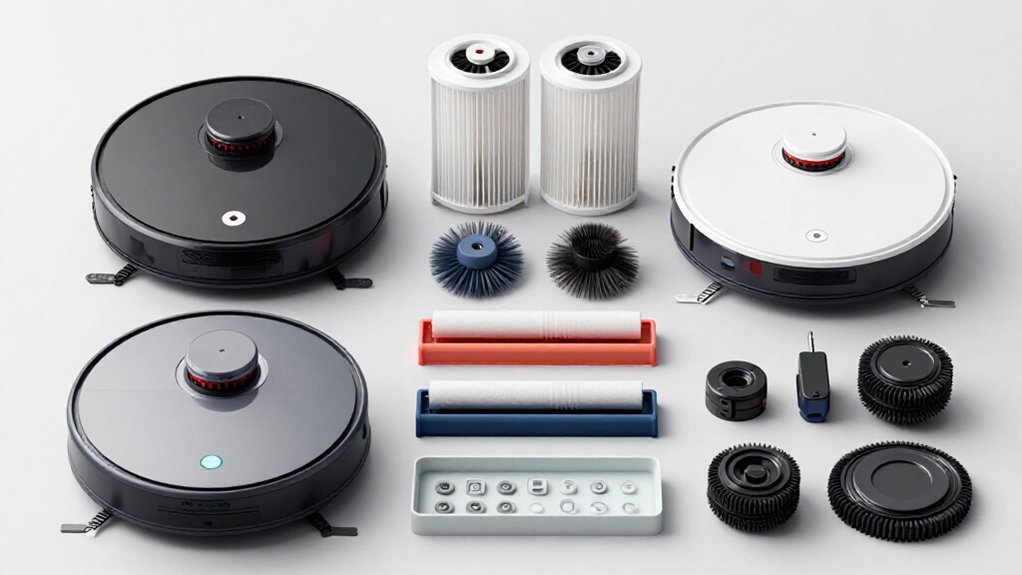
Match your robot vacuum replacement parts by the exact model number, including every letter, number, hyphen, and revision suffix. Use the compatibility chart to verify filter SKUs, brush assemblies, mop modules, and dock consumables.
For batteries, match voltage, chemistry, capacity, connector keying, tabs, and footprint.
Check station generation, dust-bag style, sensor contacts, and charging polarity. If details conflict, compare OEM specifications before ordering; model-specific fitment prevents costly mismatches.
Continue for checks that confirm each part.
Match Model Numbers Fast
Which replacement part fits your robot? Start with the model number, not a family name such as “Roomba 600” or “eufy RoboVac.” You’ll find the identifier near the barcode on the box, or on the robot’s bottom or back label.
Enter code in the parts catalog, including revision suffixes such as S6 MaxV or DEEBOT X1 OMNI. Exact-number searching narrows results to the filter, brush assembly, battery, or accessory faster than brand searches.
When results load, use Sort or Filter tools, such as Best Matches or a $20–$49.99 range, to reduce clutter. Open pages and verify the model line before ordering.
Eufy names can use different components. If listings look alike, trust the model number, not photos, because an incorrect part may fit poorly, detach, or underperform.
Filter, Brush, Mop Compatibility Grid
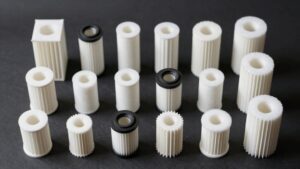
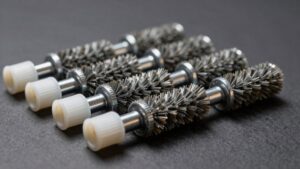
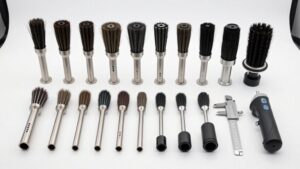
Once you’ve identified the exact model and revision, use this grid to match filters, main and side brushes, and mop pads or modules by manufacturer-listed fitment. Confirm the OEM SKU before ordering.
| Model family | Filter and brush fitment | Mop fitment |
|---|---|---|
| Roomba 600/700/800/900 | Series-specific pleated filter; designated main and side brushes | Not applicable unless manufacturer lists a module |
| Roomba i/j | High-efficiency filter SKU; i-series dual rubber rollers and keyed side brush | Combo models require the listed mop pad or module |
For Roborock S4/S5/S6, verify filters and brush kits against that family. Check DEEBOT N/T/O and Eufy 11s/12/30 listings too.
Treat microfiber, disposable, and vibrating mop parts separately. If an aftermarket listing omits revision fitment, compare its model list and dimensions with OEM catalog before checkout.
Decode Model Number Suffixes
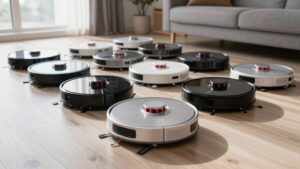
How can you tell whether a replacement part fits your robot? Read the complete model number, not just its product family. The suffix identifies a hardware variant that may change the filter cartridge’s frame, roller brush, or guard design. You can’t assume that two similar-looking Roomba, Roborock, Eufy, or DEEBOT units share the same component.
Find the model label on the robot’s back or bottom, usually beside the barcode. Then copy every letter, number, hyphen, and suffix exactly. Check that full identifier matches the replacement-kit’s explicit compatibility line; a main-series match alone isn’t sufficient. If the suffix doesn’t match a known pattern, don’t guess. Compare the photos and dimensions with your filter frame and brush mounting points before ordering to avoid a mismatch.
Battery Voltage and Capacity
Match the replacement battery’s rated voltage exactly, then compare its capacity in mAh or Wh for expected runtime. You’ll also need to verify the battery chemistry and connector type against your robot’s original pack.
Confirm the exact model and revision specifications before ordering, even when a listing claims broad compatibility.
Match Voltage Exactly
Your robot vacuum’s replacement battery must match the original’s voltage exactly—for example, replace a 14.4V pack only with another 14.4V pack, never 14.0V or 15.0V. A small voltage difference can cause charging faults, reduced cleaning power, overheating, or electronics damage. Read the battery label, service manual, or manufacturer’s parts listing for the voltage assigned to your exact model and revision, such as a Roomba 600-series variant, Roborock S6, or DEEBOT N-series unit.
When a listing shows several variants, select one displaying the identical voltage, not merely one described as compatible. Don’t rely on chemistry terms alone; compare the printed V rating. If the seller omits voltage or provides conflicting specifications, don’t install it; confirm the OEM part number or ask the manufacturer before ordering it.
Check Battery Capacity
Before ordering a replacement battery, check the original pack’s label for both its rated voltage and capacity in mAh. For your Roomba 600, Roborock S5, or DEEBOT N-series robot, record the battery marking: 14.4V and 3,000mAh. Match the model number, voltage, and mAh rating; a connector fit alone doesn’t confirm compatibility.
If your chart shows 14.4V/16.8V options, select the option matching your installed pack’s voltage and capacity. Treat voltage as a hard requirement: a mismatch can stop proper charging and create a safety risk. Capacity also matters. A markedly higher or lower mAh value can change runtime, charging duration, and charging behavior, even when the voltage and connector match. Don’t choose by model family alone; verify the label, revision, and battery listing before ordering.
Compare Battery Chemistry
When you compare a replacement battery, identify its chemistry—typically Li-ion or Li-poly—and confirm that it matches the original pack’s specification. For a Roomba 600, 800, or 900 replacement, read the original label and match its nominal voltage, such as 14.4V or 14.8V. Roborock, DEEBOT, and other larger-platform models may specify 25.9V or 29.6V; don’t substitute based on appearance. A voltage mismatch can stop charging, reduce performance, or damage the robot’s power system.
Then compare rated capacity in mAh. Choose the exact model-number or kit-compatible specification, not merely a higher number. A higher capacity can extend runtime when voltage and chemistry remain correct, while a lower rating can shorten cleaning or suction time.
Check whether the listing identifies Li-ion or Li-poly and matches the OEM label. Confirm the full model and revision before ordering, because voltage and mAh alone don’t prove compatibility for your specific robot model.
Verify Connector Compatibility
Matching the battery chemistry and model number is only part of the fit check; you’ll also need to verify the connector’s electrical specifications.
For a Roomba 600-series battery, compare the replacement’s labeled voltage with the original pack’s V rating. A connector that looks identical can still fail or create an unsafe connection if its voltage doesn’t match. Check the capacity too: match the original mAh or Wh value, unless the manufacturer explicitly approves an equivalent.
Use the text printed on your robot’s battery label and original pack, not connector shape alone. For example, if a Roborock S5 listing specifies a different voltage or capacity than your pack, don’t assume the plug makes it compatible. Confirm both ratings before ordering.
Confirm Model Specifications
How can you confirm a replacement battery will fit? Check your robot’s manual, app, or rating label for the complete model number and original battery specifications. Record voltage (V) and capacity (mAh); note watt-hours (Wh) if provided. Save these details for future purchase reference.
Match the replacement’s voltage exactly to the original. A different voltage can cause poor performance, charging faults, or damage. Confirm that its capacity is the same or explicitly compatible; a mismatched mAh or Wh rating can change runtime and charging behavior. Compare these values directly with the replacement page’s compatibility details, including model and revision codes.
If information conflicts or remains unclear, don’t guess. Verify the original battery label or contact OEM support, then order only after every specification aligns.
Verify Connector Shape
Before you order a replacement battery or dock, compare its connector with the one on your robot’s original part. Check the plastic keying, contour, and overall footprint; a connector that only looks similar may still fail to fit. Compare tab and notch placement, then match the male or female plug geometry.
Inspect clip positions and retention bumps so the replacement seats fully and locks securely.
If the connector is keyed, confirm its direction matches the original before insertion. Don’t force a misaligned plug: you could damage the port or replacement part. Similar eufy models may use different connector designs, so use the exact model number in the chart to confirm fit.
When shapes differ, don’t purchase; select the listed kit or part.
Mixed-Generation Docking Stations
Because mixed-generation eufy docking stations aren’t fully interchangeable, identify your robot’s exact model number from its app, product label, or receipt before ordering station supplies. Then match that number to the dock’s listed generation and robot family; don’t rely on housing shape, color, or connector placement alone.
Mixed-generation pairings can create a dust-bag mismatch, including the wrong style or capacity, or an incompatible water-tank filtration component on supported Omni or mopping models. Before checkout, read the kit page’s explicit compatibility line and confirm every station consumable it names. Use this sequence: find the robot model, verify dock compatibility, then order the matched kit.
Choose included dust bags and, where applicable, water-tank components only after that check. Appearance alone can’t confirm generation-specific fit reliably.
RoboVac 11S Filter Match
To match a RoboVac 11S filter correctly, identify the exact model information on the robot’s label, receipt, or eufy app. Similar eufy models can use different filter designs, so don’t select a replacement from appearance alone. Record the complete 11S designation and compare it with the seller’s compatibility line.
Choose a kit or single filter only when its listing explicitly states RoboVac 11S support. A correctly matched filter restores fine-dust capture through the airflow path, helping preserve pickup performance. Replace it when suction declines or the media looks gray or dull. Even washable, reusable filters can lose effectiveness after repeated rinses.
If uncertain, confirm the model in eufy’s app or on your receipt before ordering; don’t rely on a photo or “eufy compatible” claim.
Inspect Dustbin Sensor Contacts
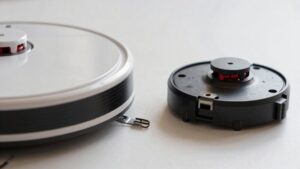
Inspect the RoboVac 11S’s dustbin sensor contacts with the bin removed. These small metal pads verify that the dustbin is seated before the 11S can run or start suction. Check both the bin-side and robot-side surfaces for contamination or alignment problems.
- Look for dust, hair, oxidation, rust, or residue. Confirm each metal surface sits straight and meets its counterpart without bending.
- Wipe the pads gently with a dry microfiber cloth. For stubborn residue, use a lightly damp cloth, then dry every contact completely.
- Reinstall the 11S dustbin firmly and test operation. If detection remains intermittent, or a contact is damaged, replace the sensor or associated dustbin assembly.
Use the exact RoboVac 11S model when ordering parts; visually similar bins may not provide reliable contact.
Inspect Charging Contact Polarity
After checking the RoboVac 11S dustbin contacts, examine the robot’s charging terminals and dock contacts for matching polarity and layout before ordering replacement parts. Compare the contact shape, spacing, and metal arrangement with the original assembly; the positive and negative sides must occupy identical positions. A physically similar dock can still fail to charge if its polarity is reversed, so you can’t assume compatibility.
- Photograph the RoboVac 11S terminals and dock contacts from above and straight-on angles.
- Match replacement dock or charging module to the model number and revision, not a generic “11S” listing.
- Confirm polarity and layout against the original for a reliable electrical fit before installing.
If charging remains inconsistent, stop and recheck contact orientation, seating, and connector wiring before blaming the power supply.
Conclusion
Before you order, match your robot’s complete model number—not just its product family—to every replacement part. Confirm the filter frame, brush dimensions, mop attachment, battery voltage, connector, and charging-contact polarity.
If you’re pairing a mixed-generation dock, verify sensor and contact alignment first. For a RoboVac 11S, check the filter and dustbin contacts against the listed revision. This compatibility check prevents poor fit, charging faults, and avoidable returns, so you’ll install correctly and confidently.