Robot Vacuum vs Upright Vacuum: Which One Actually Cleans Better for You?
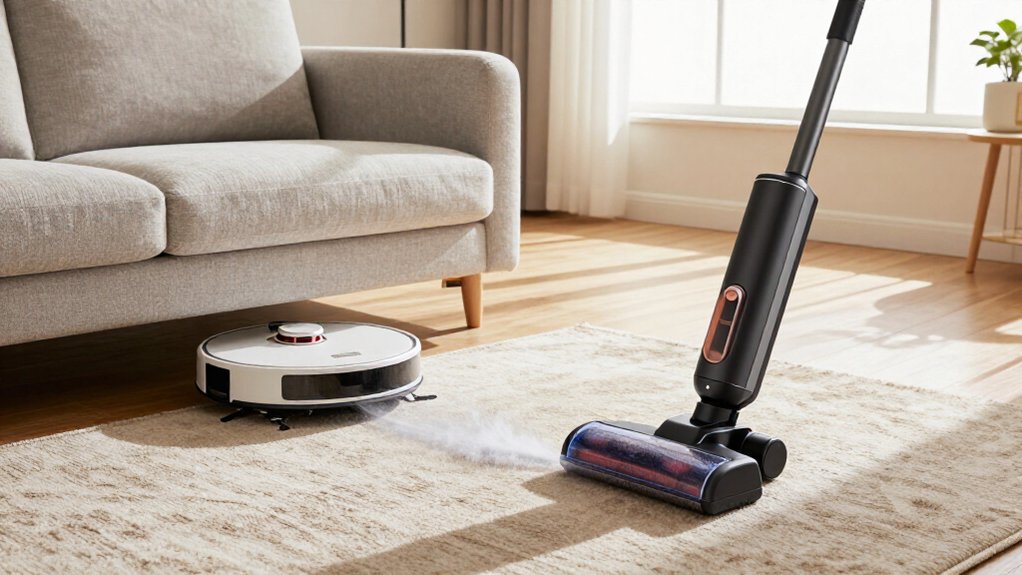
Choose an upright if you need the strongest cleaning on high-pile, wall-to-wall, or heavily trafficked carpet: testing found uprights removed over 50% of embedded debris, versus under 20% for robots on medium-pile carpet.
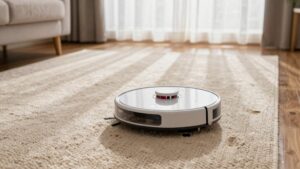
Choose a robot for scheduled, quieter daily maintenance on hard floors and low-pile rugs, especially in homes.
Robots dock and recharge automatically, but bins, apps, battery limits, edges, stairs, and corners matter.
You’ll find below how to match performance to your home.
Carpet, Corners, and Stairs
Although some high-end robot vacuums use carpet-boost modes and strong suction, an upright remains the better choice for deep-cleaning wall-to-wall, high-pile, or heavily trafficked carpet. If you have deep-pile rugs, pets, or heavy traffic, choose an upright: testing consistently finds stronger embedded-debris removal.
Robots suit low- or medium-pile surfaces and daily maintenance, but thick shag, fringes, and uneven changes can restrict coverage. Uprights also reach corners, stairs, upholstery, and edges with attachments.
| Area | Upright | Robot |
|---|---|---|
| Carpet | Deep cleaning | Surface upkeep |
| Corners | Precise reach | Residue likely |
| Stairs | Effective attachments | Generally unsuitable |
For your home, use the machine that matches the hardest surface. An upright demands more physical effort, yet one deliberate pass can outperform repeated robotic cycles. A robot remains useful for daily carpet upkeep.
Brush rolls and navigation systems strongly affect how well each vacuum cleans. Robot vacuums combine rollers with suction, but limited power restricts agitation and extraction. In Consumer Reports testing, robots collected under 20% of debris on medium-pile carpet, while uprights exceeded 50%.
Larger upright brush rolls and edge-cleaning paths typically reach embedded material and perimeter dust more effectively.
Navigation determines whether a robot repeats coverage or leaves gaps. Mapping systems such as LiDAR, cameras, or vSLAM can schedule systematic routes and adapt to layouts; random navigation can’t reliably cover edges and corners.
Obstacles matter: slack cords can make a robot turn around and retry, producing incomplete coverage. Keep floors clear, inspect the roller and brushes regularly, and choose an upright for deep cleaning.
Pet Hair Pickup Results
Pet hair pickup varies sharply by surface and how deeply the hair is embedded. On bare floors and low-pile rugs, a robot can capture loose shedding and reduce daily buildup. Eufy RoboVac 11s earned a Very Good carpet rating and performed better on bare floors, with testers noting little remaining pet hair.
Roomba-class machines handle surface touch-ups, but their lighter airflow and agitation usually leave embedded hair in thicker carpet fibers.
For heavy shedding, you’ll get stronger results from an upright’s motorized brushroll and higher suction. In Consumer Reports’ medium-pile test, using 100 grams of talc and sand, a Samsung robot collected under 20%, while a Miele upright collected over half. Choose the robot for maintenance; use the upright when hair clings to carpet.
Hands-Free Scheduling and Docking
Schedule a robot vacuum to clean while you’re sleeping or away, then let it return to its dock automatically when the battery runs low. The dock recharges the robot without supervision, unlike an upright that requires you to remain present and move it between rooms.
Typical runs last about 40 minutes to two hours and cover roughly 600 square feet or more, so you should treat this system as frequent top-up maintenance rather than a concentrated deep-cleaning session. If the battery depletes mid-cycle, many models dock and resume later, improving coverage without extra effort.
This automation can reduce visible buildup and the time you spend vacuuming; iRobot claims savings of up to 110 hours annually. Clear cords; maintain the bin, brushes, and filters regularly.
Wi-Fi and App Requirements
Do you need remote starts, room-by-room scheduling, or no-go zones? Choose a Wi-Fi robot with an app that supports those controls; connected models vary considerably. You can start a run from your phone, schedule specific rooms, define restricted areas, view maps, and sometimes issue voice commands through Google Assistant.
Mapping models transmit navigation data to the app and, in some cases, the manufacturer’s servers. Check account requirements, privacy policies, encryption practices, and whether the app works without cloud access. You’ll also need wireless coverage where the robot operates.
If you prefer simpler setup or fewer online dependencies, choose a non-Wi-Fi model such as the Eufy RoboVac 11s. It won’t offer smartphone control, but it avoids app-related privacy and security concerns. Verify every feature before buying.
Dustbin Emptying Frequency
App features can simplify scheduling, but they don’t eliminate routine dustbin maintenance. A robot’s bin often holds no more than a quart of milk, so daily runs, pet hair, and debris can fill it fast. Empty it regularly to preserve suction; a full bin can reduce cleaning effectiveness.
Uprights usually provide larger canisters, letting you finish a session before disposal, although heavy messes still demand prompt emptying.
A self-emptying robot dock changes the routine substantially. Some systems claim up to 90 days of dust collection, reducing direct contact with debris and daily attention. However, treat that figure as usage-dependent, not guaranteed.
Even with a dock, you’ll need to untangle brushes and clean filters periodically. A docked model suits infrequent bin checks; bags add cost.
Battery Replacement Costs
Robot vacuums rely on rechargeable batteries that typically provide about 40 minutes to two hours of runtime per charge, depending on the model and cleaning conditions. As the battery ages, runtime falls, so your robot may need extra recharge cycles and stop covering every room consistently. Treat replacement as a recurring ownership cost, often in years three to five, although brand, usage, and service availability change the timing.
When you compare prices, check whether you can replace the battery yourself and whether the manufacturer sells a compatible pack. User-serviceable designs can reduce downtime and charges; sealed or proprietary systems may require service, increasing expense. Self-emptying docks won’t solve reduced runtime or schedules. By contrast, uprights avoid cost because they don’t depend on rechargeable power.
Noise Levels and Filtration
You’ll usually find robot vacuums quieter than uprights, making them practical for frequent cleaning. For allergen control, choose strong filtration and maintain filters, bins, and brushes regularly to preserve airflow and capture pollen, dust mites, and pet dander.
Use the robot for quieter surface pickup and the upright for deeper carpet cleaning when your home needs it.
Comparing Noise Levels
Upright vacuums typically produce more noise at higher suction settings, while robot vacuums support quieter, automated cleaning for daily maintenance. When you run an upright, its motor, airflow, and brushroll generate a sound that can make conversation difficult, especially on carpet or power. You’ll finish faster, but you must tolerate that louder session and remain nearby to guide the machine.
A robot generally uses lower-power operation and spreads cleaning across repeated passes, reducing the need for prolonged running.
Models vary, so check decibel measurements rather than relying on “quiet” marketing. Scheduling also changes your experience: you can run a robot while you’re away or asleep, avoiding exposure to noise. Keep brushes and air paths clear, because restricted airflow can increase motor strain and noise levels.
Filtration And Allergens
For allergy control, an upright vacuum usually has the advantage because its stronger airflow and multi-stage filtration can capture more deeply embedded pollen, dust mites, and pet dander. Choose a sealed system with HEPA-style filtration, then clean or replace filters on schedule; clogged filters reduce airflow and can increase particle escape.
A robot can support allergy management through frequent passes that limit daily buildup, especially on hard floors and low-pile rugs. Select a model with a sealed dustbin and, ideally, a self-emptying dock to reduce exposure during disposal. Robots also tend to sound quieter, though suction and dust collection remain audible.
If you have shedding pets, don’t assume every robot removes carpet hair completely. Pair robot cleaning with periodic upright deep cleaning for strongest control.
Best Match for Home Size
In a small home, a robot vacuum can cover floors quickly and prevent daily dirt buildup. In a medium home, choose a robot with efficient mapping and sufficient battery capacity for consistent coverage.
In a large home, especially one with thick carpet, multiple levels, or stairs, you’ll likely need an upright vacuum for complete cleaning.
Small Home Efficiency
A robot vacuum can efficiently maintain a small home of roughly 600 square feet, but its limited 40-minute-to-2-hour runtime makes it better for frequent touch-ups than weekly deep cleaning. If your space has mostly hard floors or low-pile carpet, mapping and scheduling let it work unsupervised, limiting dust buildup. Its compact profile also reaches beneath beds and furniture that an upright may miss.
However, carpet changes the comparison: in Consumer Reports-style tests, robots collected under 20% of embedded debris on medium-pile carpet, while the Miele Dynamic U1 Cat & Dog exceeded 50%. You’ll still need an upright for edges, corners, stairs, and blocked areas. For efficiency, run the robot frequently, then use the upright monthly for deeper cleaning. This robot-first routine suits homes best.
Medium Home Coverage
Once your home exceeds roughly 600 square feet, a robot vacuum’s 40-minute-to-2-hour runtime makes it better suited to scheduled maintenance than a single deep-cleaning pass. You’ll get the best coverage when hard floors or low-pile rugs dominate, because repeated runs capture dust and crumbs between upright sessions.
- Choose the robot for maintenance: Schedule daily cycles to reduce surface buildup, especially beneath beds and sofas.
- Keep an upright for carpets: Medium- and high-pile fibers need stronger suction and brush agitation. Consumer Reports found a Miele Dynamic U1 Cat & Dog removed over half of embedded debris, while a Samsung Powerbot removed under 20%.
- Expect targeted manual work: Robots follow edges but may leave pet hair in corners or behind substantial furniture. Use the upright’s attachments there.
Large Home Limitations
For a large home, a robot vacuum works best as a scheduled maintenance tool rather than a replacement for an upright. Schedule daily runs for hard floors and routine touch-ups, but expect limited coverage per charge: tested runtimes typically span 40 minutes to two hours in areas exceeding 600 square feet. Wi-Fi mapping and room selection can improve systematic coverage and reduce missed zones, especially compared with random-navigation models.
Large homes expose robots’ deep-cleaning limits. In Consumer Reports testing, a $1,000 robot removed under 20% of embedded talc and sand from medium-pile carpet, while a traditional upright exceeded 50%. Stairs create another barrier because most robots can’t climb them. Choose a robot-first setup for maintenance, then use an upright for stairs, thick carpet, and intensive cleaning.
Measure Under-Furniture Clearance
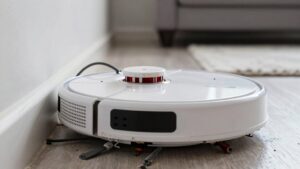
Measure the clearance beneath your bed, sofa, and cabinets, then compare it with the robot vacuum’s listed height. A close match can cause jams, repeated navigation attempts, or incomplete coverage, so leave practical margin. Most uprights won’t fit beneath low furniture unless you move it, while robots are designed for this reach.
- Check the robot’s height, including sensors or lidar towers, not just its body.
- Measure docking-station space too: allow the manufacturer’s required clearance around and above the base for charging and departure.
- Recheck after placing storage bins or adding thick rugs; either can reduce clearance enough to block cleaning.
Choose a model that passes comfortably rather than one that barely fits. During its run, adjust furniture or exclude areas if it gets stuck.
Conclusion
Your best choice depends on where dirt collects and how much control you want. If you need deep carpet cleaning, stair access, and fast spot treatment, you’ll usually do better with an upright. Choose a robot if you value scheduled maintenance, consistent hard-floor coverage, and automatic docking.
Before buying, measure furniture clearance, check battery replacement costs, and verify filtration and app requirements. For many homes, combining both machines assigns each the tasks it handles best.