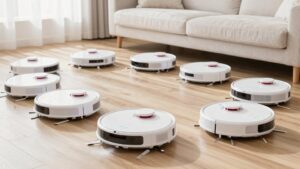
Xiaomi Robot Vacuum Mop Pad Compatibility Chart
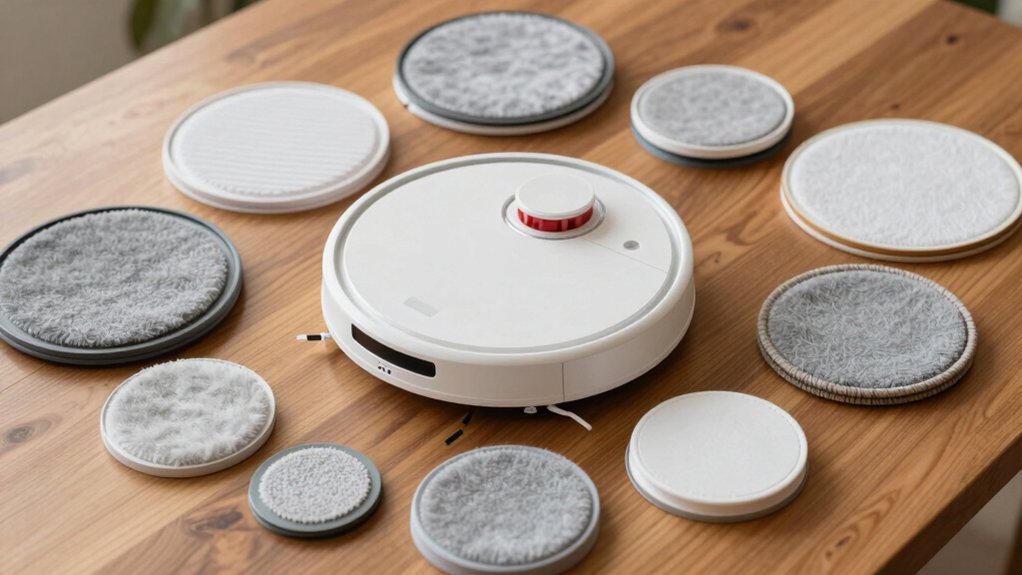
You’ll want to match your exact Xiaomi/Mijia/Viomi/STYJ02YM model (Mi Robot Vacuum‑Mop Pro/Mop P/Mop 2S, XMSTJQR2, Viomi V2/V2Pro/V3/SE, etc.) to the compatibility chart before buying mop pads or water tanks. Cross‑brand numbers sometimes align, but not all parts fit every variant.
Use the chart row for your model, check rear‑mark and click‑in notes, and confirm part numbers. Follow mounting and care steps to avoid leaks or wear.
Keep going to learn fit checks, pad types, and troubleshooting.
Quick Overview
- Confirm your exact model (STYJ02YM, Mi Robot Mop Pro/P/2S, XMSTJQR2, Viomi V2/V3/SE) before using any compatibility chart.
- Use the chart row for your model to find compatible mop pads, water tanks, and mounting notes.
- Check rear alignment marks and click‑in icons on the chart to ensure proper pad fit and secure attachment.
- Match pad type to flooring: high‑absorption for carpet, tight‑seal damp pads for wood, quick‑dry fibers for tile.
- Replace pads every 3–6 months. Wash with water only, fully air‑dry, and verify fit if performance drops.
Compatibility Quick-Reference: Mi, Mijia, Viomi, STYJ02YM
Wondering which Xiaomi and Viomi robot mop pads will fit your model? You’ll find a focused quick-reference covering Mi, Mijia, Viomi, and STYJ02YM families. The chart maps specific references: STYJ02YM; Mi Robot Vacuum‑Mop Pro/Mop P/Mop 2S; XMSTJQR2; Viomi V2/V2Pro/V3 SE; and Viomi V3/V2Pro variants. This way, you can spot compatible pads at a glance.
Cross brand compatibility is indicated where Xiaomi, Mijia, OEM, and Viomi part numbers align. This lets you source replacements across ecosystems when listed. Use the list to confirm exact model matches before buying: compatibility spans multiple model families, but not every accessory fits every variant. For maintenance planning, note pad types and replacement intervals to optimize mop pad maintenance and cleaning performance.
This lets you prioritize genuine or OEM channels based on model numbers. It ensures you order pads that maintain suction, water distribution, and secure attachment for your specific robot.
How to Read the Mop Pad Compatibility Chart
How do you quickly interpret the Mop Pad Compatibility Chart? Start by locating your robot model or family (Mi Robot Vacuum‑Mop P, 2S variants, Viomi V2/V3, etc.). The chart maps each model to compatible mop pads and water tanks. Match your model row to the listed consumables.
Check mounting notes: Look for rear marks and click‑in installation icons that confirm physical fit. These markers indicate whether the mop pad compatibility covers simple click‑in trays or requires precise water tank alignment.
Pay attention to cross‑compatibility entries: Some consumables appear across multiple models. However, you should verify the exact part number before buying.
Use the maintenance column for cleaning and replacement intervals tied to each pad/tank combination. The chart is non‑promotional and focused on model numbers, mounting, and upkeep. Therefore, rely on it to confirm fit and water tank alignment rather than on accessory features or marketing claims.
Best Mop Pad Types for Carpet, Wood, and Tile
Now that you know how to read the compatibility chart, pick mop pads by surface: For carpet, use high-absorption pads paired with the correct main-unit kit to avoid over-saturating fibers. For wood, choose pads with a tight rubber seal and damp-wipe capability to limit water exposure. For tile, select pads that combine strong absorption with quick-drying fibers to prevent streaks and residue.
Choose high-absorption microfiber pads for low-pile carpet; they wick moisture quickly. When used with the compatible mop pad kit listed for your Xiaomi/STYJ02YM or Mi Robot variant, these pads reduce carpet absorption risks. For engineered or finished wood floors, prioritize pads designed for wood sealing: a tight rubber edge and limited-moisture damp-wipe mode protect finish and joints.
On ceramic and porcelain tile, pick pads with aggressive absorption plus fast-dry fibers to cut streaks and residue. Reusable pads should be laundered and fully dried after each use to preserve performance and avoid mold on tile or wood substrates.
Mop Pad Fit Check: Holder, Attachment, and Water‑Tank Steps
Ready to fit the mop pad? You’ll align the pad with rear marks, press into the holder and listen for a firm click; that confirms proper mop pad compatibility and secure attachment. Check that the pad is wrung until non-drip. Then follow the water tank steps below to ensure controlled mopping and safe reattachment.
| Step | Action | Checkpoint |
|---|---|---|
| 1 | Align pad with rear marks | Visual alignment |
| 2 | Press into holder until click | Audible click |
| 3 | Attach water tank | Slot engages fully |
You can remove the mop pad and water tank after cleaning for drying. Don’t use detergents on the pad or filter; wash with water only and dry at least 24 hours.
The mop module’s electronic output controls water flow. Follow the water tank steps to avoid leaks. Reattach only when both components are completely dry to maintain performance and prevent damage.
When to Replace Your Mop Pad: Wear, Odor, and Loss of Absorption
When should you swap out the mop pad? Replace it every 3–6 months as a baseline to prevent mold, odor, and loss of cleaning efficiency.
Perform a quick wear inspection after every few uses: look for fraying, thinning, or uneven pile. Those are clear signs absorption is dropping.
Rinse and fully dry the pad after each run; damp storage accelerates mold and reduces capillary action. If you notice persistent odor after washing, don’t wait; replace the pad immediately to maintain hygiene and effective odor management.
Loss of absorption is actionable: if a single pass leaves streaks or feels less wet pickup, it’s time for a new pad.
Use only pads compatible with your Xiaomi/Mijia mop system and include replacement in your routine maintenance schedule. Logging replacement dates helps you stay within the 3–6 month window and ensures consistent performance without unexpected declines.
Fixes for Common Fit Problems and Quick Troubleshooting
Having trouble getting the mop pad to sit right? Check model compatibility first: verify your model (STYJ02YM, Mi Robot Vacuum-Mop Pro/Mop P/Mop 2S, XMSTJQR2, V2, V2Pro, V3 SE, Viomi variants) against the chart. Align the pad with rear marks, press until you hear a click, and confirm fit. If problems persist, avoid third-party Cecotec pads; incompatibility is common: see compatibility warnings.
Quick troubleshooting table:
| Symptom | Check | Action |
|---|---|---|
| Pad won’t attach | Model matches chart? | Reconfirm model number |
| Loose fit | Rear marks aligned? | Reattach until click |
| Skewed cleaning | Pad wet/dirty? | Wash (no detergent), fully dry |
| Early wear | Pad age | Replace every 3–6 months |
| Persistent issue | Third-party pad? | Use recommended pad only |
Follow those steps to improve mop pad longevity and prevent wear-related fit issues. If still faulty, contact support with model and photos.
Frequently Asked Questions
Can Third‑Party Pads Affect My Robot’s Warranty?
Yes, third party pads can affect warranty. Third party impact depends on whether a pad causes damage or voids specific clauses. Manufacturers often cite warranty implications for non-authorized accessories. You’re advised to keep evidence: manufacturer statements, receipts, and photos.
If damage is directly linked to an unofficial pad, warranty claims may be denied. For minimal risk, use approved pads or confirm coverage terms before installing third-party accessories.
How Do Disposable Pads Compare Cost‑Wise to Reusable Pads?
Disposable pads usually cost less per piece but add up over time. Reusable pads have higher upfront pad cost but lower ongoing expense. For disposable vs reusable pad cost comparison, calculate cost per clean: divide pad price by estimated uses (1 use for disposable, 50–200 for reusable).
You’ll save if reusable cost per clean is lower after washes. Factor in laundry time, detergent, and replacement frequency for a true ROI.
Are There Environmental Recycling Options for Old Microfiber Pads?
Yes, you can pursue environmental recycling for old microfiber pads, but options vary. You’ll check local textile recycling programs, specialist drop-off sites, or mail-in fabric recyclers. Landfill diversion rates depend on program availability.
If you use third party pads, confirm material composition; polyester/nylon blends often aren’t widely accepted. You’ll prolong life by washing gently and repurposing pads as rags before recycling to maximize environmental benefit.
Can Mop Pads Be Machine‑Sanitized Without Damaging Them?
Yes, you can machine sanitize many mop pads without damaging them if you follow care guidelines. Use warm water (30–40°C), a gentle cycle, mild detergent, and skip bleach or fabric softeners to preserve pad longevity.
Air-dry or tumble low; high heat degrades fibers. Wash pads separately or with similar textiles to avoid lint transfer. Inspect seams and backing routinely. Replace when absorbency or microfiber structure drops significantly.
Do Different Water Hardness Levels Affect Pad Longevity?
Yes, different water hardness levels can affect pad longevity. Hard water with high mineral content leaves scale and grit that abrades fibers and reduces absorbency over time. Soft water minimizes deposits and preserves texture.
You should test local hardness, rinse pads thoroughly, and use occasional vinegar descaling (diluted) if safe for materials. Air-dry completely. Track replacement intervals to quantify longevity impact for your conditions.
Conclusion
You’ve got the info to pick the right mop pad for your Xiaomi/Mijia/Viomi/STYJ02YM unit and to spot fit issues fast. Match pad type to floor (microfiber for wood/tile, soft pile for low-pile carpet); confirm holder and water‑tank alignment, and watch for wear, odor, or absorption loss.
Replace pads on performance decline. If fit problems appear, re-seat clips, trim edges slightly, or swap to the manufacturer‑recommended pad for reliable cleaning.