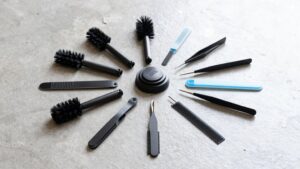
Robot Vacuum Maintenance Frequency by Component
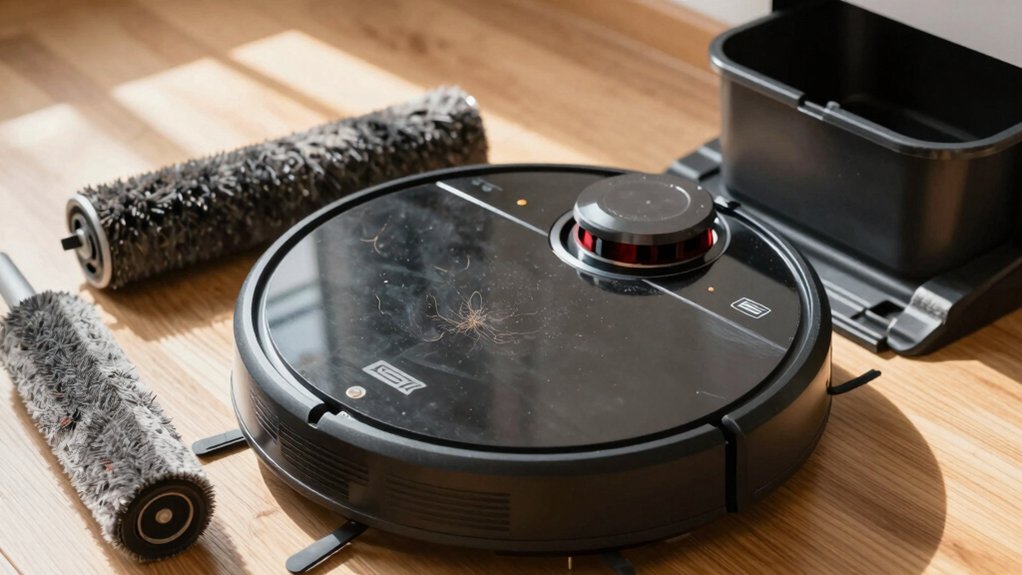
You should empty the dustbin after each run and wipe seals. Wash or replace mop pads after use, and clean the mop tray monthly.
Weekly, clear and tap filters; check and detangle the main and side brushes. Every 1–2 months, deep-clean brushes, bearings and washable filters.
Replace disposable filters and worn mop pads every 2–6 months; swap brushes/rollers every 6–12 months. Check battery and contacts yearly.
Keep going for a full schedule and troubleshooting tips.
Quick Overview
- Empty the dustbin after each run, or daily without an auto-empty dock, and inspect for lodged hair.
- Clean main and side brushes weekly; remove tangles and check bristles for wear.
- Rinse washable filters every 1–2 months. Replace disposable filters every 2–6 months as needed.
- Wash or replace mop pads after every use. Deep-clean mop trays monthly and launder pads regularly.
- Replace main/side brushes and rollers every 6–12 months. Check battery health yearly.
Roomba Maintenance Cheat Sheet (Quick Reference)
Want to keep your Roomba running at peak performance? Use this cheat sheet as a quick reference: after every run, empty the dustbin if you don’t have an auto-empty dock to avoid suction loss and debris scatter.
Every week or two, clean the main and side brushes to remove hair and debris and restore suction. Replace disposable filters every 2–6 months depending on use and model; clean washable filters every 1–3 months and dry them completely before reinstalling.
Once a month, clean sensors, wheels, and charging contacts to maintain navigation, traction, and charging efficiency. Maintain the dock and mop station by clearing hair and debris from the bag connection and emptying the dock dustbin every few weeks to prevent clogs and overflow.
This cheat sheet sticks to essentials. Avoid treating maintenance like an irrelevant topic or indulging in unrelated chat; follow the schedule and you’ll keep cleaning performance consistent.
Daily: Empty Dustbin & Clean Mop Pads
Always empty the dustbin after each run (or daily if you don’t have an auto-empty dock) and wash or replace mop pads after every use to prevent suction loss, debris scatter, and grime transfer to your floors.
Empty dustbin routines keep airflow strong: dump contents immediately, check the bin rim and inlet for lodged hair or clumps, and wipe seals to maintain a tight fit. If you have a self-emptying dock, still inspect the connection and clear the dust path at the bag interface to prevent clogs that reduce performance.
Clean mop pads by rinsing or laundering according to manufacturer instructions; replace pads once they show wear or residue that won’t come out. Don’t let damp pads sit; dry them to prevent odors and mildew.
Make these quick checks part of your daily habit so your robot preserves suction, avoids scattering debris, and delivers consistent floor cleaning every time.
Weekly: Clean Filters, Main Brush, & Side Brushes
After you’ve emptied the bin and cared for the mop pads, set aside time weekly to keep filters and brushes in top form. You’ll clean the filter to remove built-up dust and debris so airflow and suction stay strong. Tap or brush the filter over a trash can and replace disposable filters as instructed.
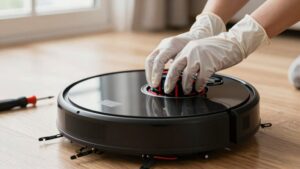
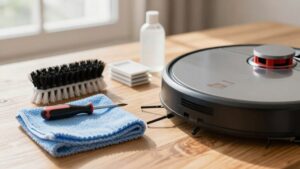
Inspect the main brush for hair, string, and obstructions. Cut and pull tangles away to prevent motor strain and loss of performance. Check side brushes for wrapped debris and bent bristles. Clear entanglements so they reach edges and corners effectively.
Let all parts dry fully before reattaching to avoid degradation or slipping. In homes with pets or heavy use, increase frequency beyond weekly maintenance; shorten intervals and monitor performance. For consistent results, make two word discussion ideas part of your routine (for example, “brush check”) and note when components need replacement. This prevents clogs and keeps cleaning efficient.
Every 1–2 Months: Wash Reusable Filters & Deep Brush Care
Need a deeper clean? Wash reusable filters and tackle deep brush care every 1–2 months to extend filter lifespan and maintain suction. For washable filters, rinse under cool water, use a gentle dusting technique with your fingers to dislodge trapped particles, then air-dry completely before reinstalling. Don’t wash disposable filters; replace them if your model uses them.
- Remove main and side brushes.
- Cut and pull hair from bristles; use a tool for embedded tangles.
- Rinse washable filters, squeeze gently, then air-dry 24+ hours.
- Inspect brush bearings and bristles for wear; replace as needed.
During this cycle, check for worn bristles, loose mounts, and debris in bearings. Clean brush housings and realign brushes when reinstalling. Doing this every 1–2 months prevents matting, preserves cleaning performance, and helps you monitor filter lifespan without confusing this step with replacing disposable filters or mop-pad care.
Every 2–6 Months: Replace Disposable Filters & Mop Pads
Regularly check and replace disposable filters and mop pads every 2–6 months to keep suction and mopping performance consistent; how often depends on your model, usage, and app alerts. Replace disposable filters on Roomba 400–900 series within that window; do so sooner with heavy pet hair or dusty environments to prevent reduced suction and dust backflow. Don’t use third‑party disposable filters; they can degrade filtration and let dust escape back into the motor and air.
Swap mop pads every 2–6 months or immediately if you see wear, staining, or reduced cleaning pickup. Inspect pads after each few deep cleans; replace if fibers compress or residue won’t rinse out. Follow app notifications as they’ll often flag nearing end‑of‑life for both filters and pads, aligning with the recommended cadence.
Keep a small stock of genuine replacement disposable filters and manufacturer mop pads so you can change them promptly. This will help maintain predictable performance without interrupting your cleaning schedule.
Every 6–12 Months: Replace Main/Side Brushes & Rollers
Once you’ve kept filters and mop pads fresh, you should also plan to replace the main brush, side brushes, and rollers every 6–12 months to keep sweeping and agitation effective. You’ll watch brush wear and follow replacement timing to preserve suction and prevent motor strain.
Inspect bristles and rollers at each interval for flat spots, bent fibers, or debris build-up.
- Visualize frayed bristles losing contact with the floor, reducing pickup.
- Picture hair wrapped around axles, pulling and stressing the motor if not swapped.
- Imagine rollers with flat spots causing vibration and poorer suction.
- Think of cleaner paths when brushes and rollers are fresh.
If you have pets or long hair, move replacement timing toward six months. Swap both main and side brushes together with rollers to keep performance balanced.
Don’t wait for total failure; proactive replacement saves time and avoids deeper repairs.
Annual–Biennial: Battery, Charging Contacts, & Firmware Check
How long your robot keeps running between charges tells you when to act: check battery health yearly (sooner if runtime drops), clean charging contacts every 1–2 months, and reserve a maintenance session to verify firmware and apply updates while the robot is at ≥50% charge.
Each year, schedule a maintenance window to measure battery health and charging performance. Log runtime, charge time, and voltage if your app or manual allows. Inspect and clean the metal contacts on both robot and dock every 1–2 months; use isopropyl on a lint-free cloth and remove debris to prevent intermittent charging.
Perform a firmware check during the annual maintenance window or when the app alerts you. Don’t start updates unless the robot is ≥50% charged. Expect battery replacement every 2–3 years depending on usage and decreased hold time.
These steps keep charging reliable, preserve runtime, and ensure firmware fixes and optimizations are applied promptly without interrupting daily cleaning.
Roomba Dock & Mop‑Station Maintenance (Schedule + Steps)
Keeping the dock and mop station in good order makes all the battery and firmware care you just read actually work in daily use. You’ll perform regular dock maintenance and mop station setup tasks on a simple schedule to keep charging, emptying, and washing reliable.
Empty the dock dustbin every few weeks and swap bags as needed; pets speed this up. Clear hair and debris at the bag connection and inspect self-emptying parts to prevent backup. Avoid third-party bags and filters. Wipe charging contacts monthly and confirm the robot seats securely for reliable charging. Clean the mop-washing tray monthly, remove and supervise mop pad washing, and ensure trays are removable for easier maintenance.
- Every few weeks: empty dock dustbin, replace bag.
- Weekly–biweekly: check and clear bag connection and air path.
- Monthly: wipe charging contacts, confirm secure dock fit.
- Monthly: clean mop tray, remove and launder mop pads as supervised.
Troubleshooting: Warning Signs for Cleaning or Replacing Parts
Noticing a drop in cleaning performance? Start with dustbin maintenance: Empty the bin after runs if dirt remains, restoring suction before blaming other parts. Check filters next: Replace disposable filters every 2–6 months or wash reusable ones every 1–3 months and air‑dry fully.
Inspect brushes for worn bristles or hair tangles; clean or replace them every 6–12 months. If battery life falls off, plan replacement in 2–3 years. Sensor issues often cause “getting lost” prompts; perform sensor cleaning monthly with a dry microfiber cloth and remap if navigation stays erratic.
| Symptom | Likely Cause | Action |
|---|---|---|
| Dirt left behind | Full dustbin | Empty bin, check suction |
| Weak suction | Clogged/old filter | Clean/replace filter |
| Poor edge pick‑up | Worn/tangled brush | Clean or replace brush |
| Lost or stuck | Dirty sensors | Sensor cleaning, remap |
Follow this checklist to isolate faults quickly and replace parts only when needed.
Frequently Asked Questions
Can I Run My Robot Vacuum on Multiple Floors Without Moving the Dock?
Yes, but it depends. If your model supports multifloor docking or mapping, you can leave the dock on one level, and the robot will return there. Otherwise, you’ll need to carry it.
Consider alternative charging methods like a second dock, portable chargers, or USB power banks to avoid constant relocations. You’ll also need stair sensors and consistent maps per floor; otherwise, you’ll interrupt cleaning and risk navigation errors or failed returns.
Is It Safe to Use Third‑Party Replacement Parts and Filters?
Yes, you can use third party replacements, but check compatibility and quality first. You’ll save money; yet some parts may reduce suction, wear faster, or void warranty.
For filter safety, choose HEPA-rated, certified materials and replace per manufacturer intervals. Inspect fit, seals, and materials. Avoid cheap knockoffs that shed fibers.
Keep receipts and test performance after install so you can revert if issues arise.
How Should I Store the Robot During Long Periods of Non‑Use?
Store the robot in a cool, dry place, off the floor and away from direct sunlight; that’s the storage best practices you should follow.
Remove debris, empty the bin, and clean brushes. For power management, charge the battery to about 40–60% before storing. Disconnect or remove the battery if recommended, and check charge every 3–6 months.
Cover it to keep dust off. Restart full charging before reuse.
Can Pet Hair Cause Different Maintenance Timing Than Listed?
Yes, pet hair can affect maintenance timing. You’ll need to clean brushes, filters, and dustbins more often when pets shed. Hair wraps motors and clogs filters faster; therefore, replace filters and inspect bearings sooner.
Increase inspection frequency; empty the bin after each run if heavy shedding occurs. Detangle brushes weekly. Adjust your maintenance schedule based on hair volume and performance drops to prevent wear and maintain suction.
Will Firmware Updates Change Required Maintenance Frequency?
Yes, firmware updates can change required maintenance frequency. You’ll see firmware influence by altering sensor calibration, brush timing, or suction profiles, which shifts maintenance scheduling.
When an update optimizes operation, you may clean less often. If it increases power or runtime, you’ll clean more. Check release notes, monitor performance, and adjust your schedule accordingly.
Keep firmware current and log changes so your maintenance stays efficient and predictable.
Conclusion
Keep this cheat sheet handy and follow the schedule to keep your Roomba running efficiently. Empty the dustbin and wipe mop pads daily. Clean brushes and filters weekly. Do deeper washes every 1–2 months.
Replace disposable filters and mop pads every few months, and swap brushes, rollers, and batteries on the 6–12 month to annual schedule. Check charging contacts and firmware regularly. Address alerts promptly to avoid bigger problems and maintain peak cleaning performance.
Related reading: Roomba Maintenance Kits with Tools for — a closer look at this topic.