Robot Vacuum Battery Care Checklist
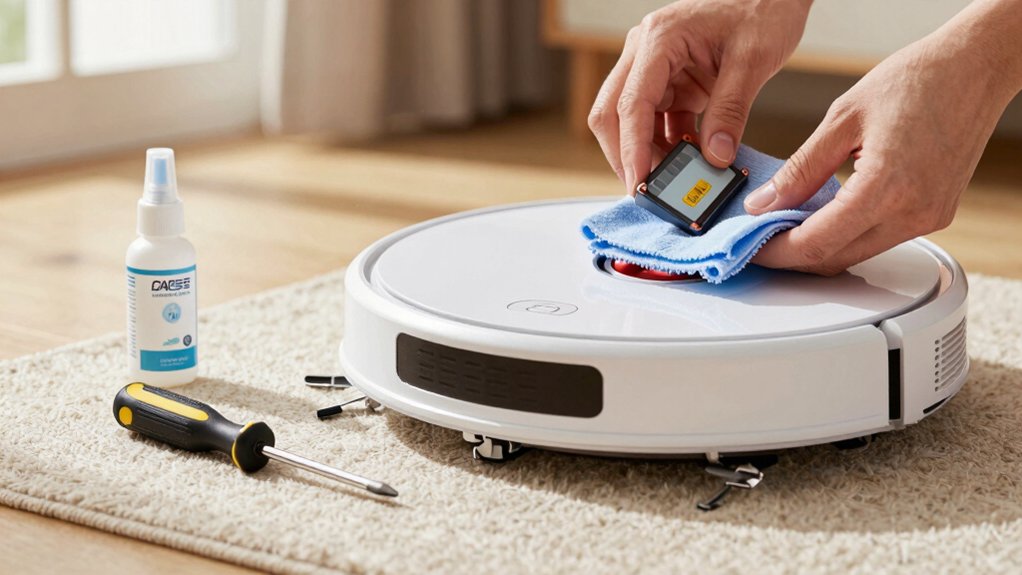
Keep your robot vacuum battery healthy by docking after each run, avoiding full deep discharges, and leaving it on the Home Base for gentle top-ups. Clean charging contacts, brushes, wheels, and sensors so motors don’t work harder than needed.
Charge and store at moderate room temperatures. Enable ship mode or remove the battery for long storage. Replace aging packs every 2–3 years with a compatible OEM or authorized battery.
Keep following these steps and you’ll extend runtime and battery life.
Quick Overview
- Dock after each run and keep the vacuum on its Home/Clean Base to maintain a steady, gentle charge.
- Avoid deep discharges, and store battery charge around 40–50% for long-term storage when possible.
- Charge and store between about 18–28°C (64–82°F); avoid extreme heat or cold during charging.
- Clean charging contacts, dock pins, sensors, brushes, and wheels regularly to prevent higher battery draw.
- Replace aging batteries after 2–3 years with a compatible, authorized replacement; perform a full charge cycle.
Check Roomba Battery Health and Signs of Aging
Wondering whether your Roomba’s battery is starting to age? You’ll spot battery aging by monitoring performance: quicker drainage, noticeably shorter runtime per charge, and reduced suction or navigation mid-cycle.
Track runtime decline by noting typical minutes between charges. If a 90-minute run falls to 30 to 40 minutes, that’s a clear red flag. Also watch charging behavior: longer-than-normal charge times or failure to reach full charge suggest capacity loss.
Prevent problems by avoiding frequent deep discharges and overheating since those accelerate wear. Consistently charging promptly after use helps maintain health and extend lifespan; erratic charging patterns undermine it.
Inspect the battery physically for swelling, corrosion, or loose connectors before trying resets or diagnostics. If you confirm significant runtime decline and altered charging characteristics despite correct care, plan to replace the battery. Li‑Ion packs generally last about 2 to 3 years with proper handling.
Acting early keeps cleaning reliable and avoids mid-cycle failures.
Roomba Battery: Daily Charging Habits to Maximize Runtime
Want your Roomba to keep its peak runtime? Follow a simple daily charging routine to preserve battery health. After each cleaning, dock the robot promptly so it avoids deep discharges that shorten lifespan. Keep it on the Home Base or Clean Base when idle to maintain a steady, gentle charge at room temperature: around 20–25°C (68–77°F) is ideal. That steady connection prevents large drain cycles and helps the battery hold capacity longer.
Check the charging contacts regularly. Clean both robot and dock contacts to ensure efficient energy transfer and avoid slow charging. Don’t expose the battery to extreme temperatures during charging or storage. If you’ll store the Roomba for weeks, use ship mode or remove the battery and store it cool and dry with a partial charge of about 40–60%.
These daily charging habits are easy to adopt and will maximize runtime while protecting long-term battery health.
Clean the Roomba and Dock: Prevent Battery Drain
How often do you clean the Roomba and its dock? Wipe the chassis, remove hair and dust from wheels and sensors, and clear brushes so motors don’t work harder and draw extra power. Regular cleaning and debris removal from contact areas prevents increased battery resistance that slows charging.
Check and wipe the charging pins on both the vacuum and dock with a dry cloth to avoid oxidation and ensure reliable energy transfer. Inspect the dock for dust buildup and keep its area free of loose debris. Good dock maintenance reduces charging interruptions and helps the battery reach full charges consistently.
Store the unit on the dock in a cool, dry spot to limit heat or moisture exposure that degrades battery performance. Make cleaning part of your routine: after a few runs or weekly, depending on hair and dust levels, you will minimize motor strain, keep charging efficient, and extend overall battery life.
Safe Long‑Term Storage, Ship Mode, and Battery Removal
Planning to store your robot for weeks or months? Enable ship mode if your model supports it, and place the unit in a cool, dry spot to preserve battery health. If ship mode isn’t available, perform battery removal and store the battery separately in the same cool, dry environment.
Before storage, fully charge the battery when possible for readiness; charge to about 40–50% for moderate long-term storage to reduce stress. Keep temperatures between 18°C–28°C (64°F–82°F); avoid direct sunlight and heat sources. Don’t leave the robot or battery in basements or attics where temperatures swing.
Check the battery and storage area every few weeks and recharge as needed to prevent deep discharge. Label the battery or robot with the storage date so you know when to inspect and refresh charge. Following these steps keeps cells healthy and ensures your robot’s battery will be ready when you bring it back into service.
Buy and Install a Compatible Replacement Roomba Battery
If you’ve prepped your Roomba for storage or removed the pack for safekeeping, you’ll eventually need a compatible replacement battery to get it back to peak performance. When buying compatible cells, check your model (S, J, I, E, or 900+ series) and buy only iRobot‑approved batteries from the iRobot Store or authorized retailers to keep warranty and safety intact. Expect 2–3 years typical lifespan. Shorter run times or longer charging indicate replacement time.
Before installation, confirm exact voltage and capacity match your model. Follow clear installation steps: power off the robot, remove the old pack per your model’s guide, seat the new battery firmly, and secure any latches. After installation, run a full recharge cycle and then test the robot in a normal room temperature (20–25°C / 68–77°F) to verify operation. If you see charging or runtime issues, contact support or the retailer for a verified replacement.
Frequently Asked Questions
How Do Firmware Updates Affect Battery Health Over Time?
Firmware updates can improve firmware health and slow battery aging by optimizing charging algorithms, thermal management, and power use. They will also sometimes introduce bugs that harm battery life. You should install vetted updates promptly; however, check changelogs and reviews first.
If an update causes faster drain or heat, roll back or contact support. Regular updates generally help maintain peak battery performance. However, monitor battery aging markers after major firmware changes.
Can Environmental Humidity Damage the Battery?
Yes, environmental humidity can damage the battery. You should avoid exposing batteries to high humidity or condensation because moisture can corrode contacts, promote internal shorts, and degrade cell chemistry. This can harm battery safety and lifespan.
Keep the vacuum and dock in dry areas: ideally 20–50% RH. Use silica packs for storage, and dry any moisture promptly. If you suspect water exposure, stop using the device and inspect or consult support.
Is It Safe to Use Third‑Party Chargers or Docks?
You shouldn’t assume it’s safe to use third-party chargers or docks. Unsafe third-party chargers can deliver the wrong voltage or poor regulation; this can harm battery life or cause overheating. You should check dock compatibility with your model, manufacturer approvals, and safety certifications.
If you can’t confirm specs, stick to the original charger or reputable replacements that match voltage, current, and connector type to avoid damage and preserve battery longevity.
How Do Seasonal Temperature Swings Impact Charging Efficiency?
Seasonal temperature swings reduce charging efficiency by slowing chemical reactions in cold and stressing cells in heat.
You will see longer charge times, lower peak capacity, and possible safety cutoffs in extreme temperatures.
Keep the vacuum and dock in a moderate, ventilated spot (about 15–25°C/59–77°F). Avoid charging right after heavy use or in direct sun.
Store batteries partially charged during long hot or cold periods to preserve lifespan.
Can Frequent Short Sessions Shorten Battery Lifespan?
Yes, frequent short sessions can shorten battery lifespan. You’ll trigger more frequent charging cycles; frequent charging accelerates battery aging over time.
To minimize wear, run longer cleanings when possible. Avoid topping off constantly, and let the battery reach moderate discharge before recharging occasionally. Keep temperatures stable and follow manufacturer cycle guidelines.
Small, necessary runs won’t ruin the battery quickly. However, chronic frequent charging will increase long-term degradation.
Conclusion
You’ve now got a simple checklist to keep your Roomba’s battery healthy: spot aging signs, charge smartly, keep the robot and dock clean, store correctly, and replace the battery with a compatible unit when needed.
Follow these habits consistently and you’ll extend runtime, avoid unexpected power loss, and get the best performance from each charge. Stick to the routine, and your Roomba will stay reliable for years; you will not waste time or money on premature replacements.