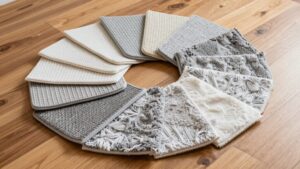
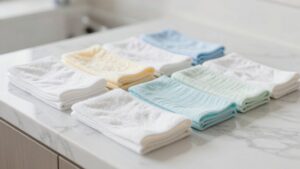
Robot Mop Pad Cleaning and Replacement Schedule
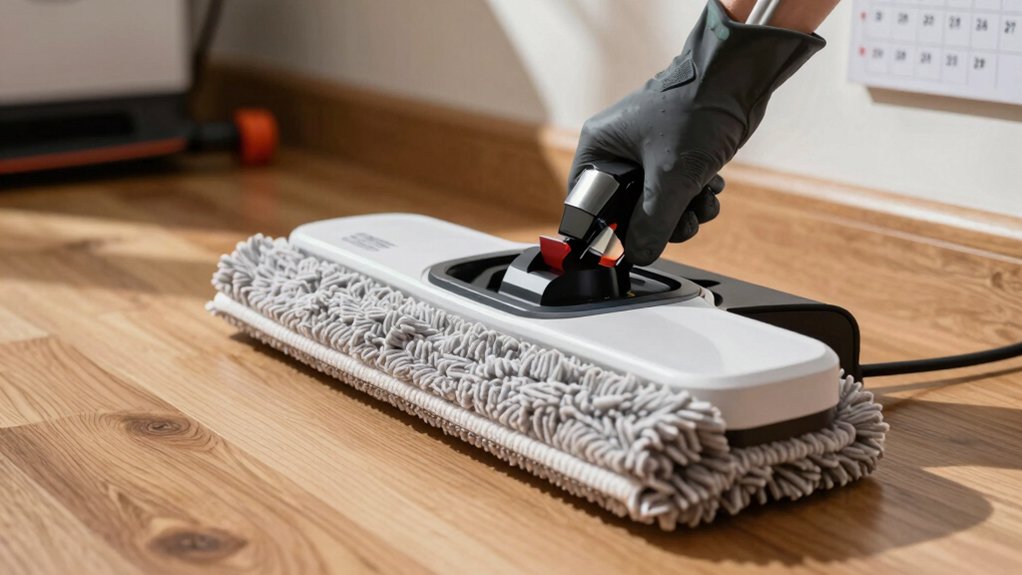
You should wash robot mop pads after every 1–3 uses and rotate between 3–6 pads so each can fully air dry. Hand wash with mild detergent or run a regular machine cycle (no fabric softener) and never tumble dry.
Inspect pads at each service for odor, thinning, frays, loose hook-and-loop, or streaking. Retire pads around 180 hours of use or sooner if performance drops. Follow a simple log and swap routine to keep mopping consistent; more details follow.
Quick Overview
- Inspect and remove Velcro-backed mop pads after each use. Wash or set aside if visibly soiled or smelling.
- Machine- or hand-wash pads with mild detergent; avoid fabric softener and air-dry completely before reuse.
- Rotate a small set of pads weekly to allow full drying time and even out wear.
- Track cumulative cleaning hours and plan replacement around 180 hours; replace sooner if performance declines.
- Replace pads showing thinning, frayed edges, persistent odors, residue/streaking, or failing hook-and-loop attachment.
Remove & Reattach the Velcro Mop Pad
Want to swap or clean the mop pad? You’ll remove Velcro by gripping the pad and peeling it straight off the Velcro attachment points. Don’t yank at an angle that could stress the mounting. If the pad’s worn or visibly soiled, take it off first and set it aside for washing or replacement. Follow the replacement schedule: after about 180 hours of use or sooner if mopping performance drops, to maintain cleaning effectiveness.
When reattaching, check pad alignment so edges match the robot’s mounting area and Velcro strips line up. Lay the pad down, press firmly along each Velcro strip, and run your fingers across the surface to ensure full contact. A secure fit prevents shifting during operation and preserves mop coverage. Keep a small stock of replacement pads if you run long cycles. Swapping is quick when you handle the pad carefully and confirm pad alignment before each run.
How Roomba Mop Pads Work
How do Roomba mop pads remove grime and stay attached? You press a Velcro-backed pad to the mop plate; the fabric traps dirt, oils, and spills through mechanical agitation as the robot moves. You’ll see grime lift when the pad is intact and not overloaded. If the pad detaches or skips areas, check for subtopic misalignment in your maintenance notes. Ensure you’ve followed the prior step of proper removal and reattachment.
You should inspect pad compatibility: only use pads specified for your Roomba Plus 400 to match Velcro placement and cleaning performance. Worn fibers reduce absorbency and leave residue. Therefore, replace the pad when it no longer collects grime effectively or detaches more easily. Between uses, you’ll clean the pad to avoid transferring dirt, and let it dry fully before reattaching.
Regular inspection for wear and secure Velcro engagement restores consistent mopping results without guesswork.
How Often to Wash, Rotate, and Replace Roomba Mop Pads
Regularly wash, rotate, and replace your Roomba mop pads to keep cleaning effective and prevent odors. You should inspect pads during routine maintenance and follow manufacturer guidance for pad maintenance: wash when allowed, dry completely, and check for wear or discoloration. If a pad looks dirty or smells, wash or replace it immediately to avoid residue transfer.
Rotate between multiple pads weekly to even out wear and sustain performance. Replace pads after about 180 hours of cleaning; do so sooner if they’re worn or ineffective. Detach and inspect pads each service. Discoloration or thinning signals replacement timing.
Keep a simple log of hours per pad so replacement timing is clear. Rotating pads reduces downtime and extends usable life. Prompt replacement prevents decreased cleaning results and odors. This systematic approach keeps your Roomba performing reliably without guesswork.
Best Ways to Wash Mop Pads (Machine and Hand)
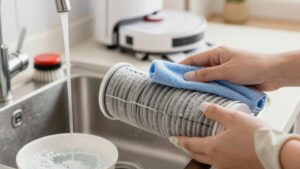
Now that you’ve got a rotation and replacement schedule in place, you’ll also need a straightforward cleaning routine to keep pads fresh between swaps. For hand washing, rinse pads under warm water to remove debris. Then gently work in a mild detergent until suds clear. Rinse thoroughly, squeeze out excess water, and air-dry completely before reattaching.
For machine washing, toss pads in a regular laundry cycle with mild detergent. Avoid fabric softeners, and never use the dryer; heat reduces mop pad durability. Rotate a small set of pads so each gets full drying time.
Check for visible soil and odor indicators after cleaning. If a pad still smells or looks grimy, replace it rather than reuse. Track cumulative hours so you retire pads around the 180-hour mark. Worn or ineffective pads will hurt mopping performance on Roomba Plus 400. Follow this systematic care to extend life while keeping floors clean and odors away.
How to Spot Wear, Odor, and Performance Decline
Want to know when a mop pad has outlived its usefulness? Check for clear, practical signs instead of guessing. Monitor cleaning performance: if residue stays or floors need repeated passes, that’s a wear decline and you should replace the pad. Watch for detachment issues; frayed edges or failing hook-and-loop mean the pad’s attachment has degraded. Smell the pad after use: persistent mildew or sour smells are odor indicators that washing won’t fix.
- Inspect performance: streaks, missed dirt, longer cleaning time.
- Assess physical wear: thinning fabric, loose fibers, damaged backing.
- Note odor indicators: lasting sour/mildew smell after washing.
Keep a simple schedule—about 180 hours of cleaning or every few months depending on use. Perform quick visual and smell checks weekly. When any of these signs appear, retire the pad to prevent transferring residue and odors back onto floors; this will help maintain optimal robot mopping results.
Fix Streaks and Leftover Dirt After Mopping
Seeing streaks or finding dirt left behind after your robot mops? Start streaks troubleshooting systematically: stop the run, remove the mop pad, and inspect it for wear, discoloration, or a foul smell.
Wash the pad thoroughly and let it dry. Then run a short test cycle. If streaks or residue persist, replace the pad; do not keep using a visibly worn or ineffective pad.
Track pad replacement timing: aim for replacement around 180 hours of cleaning, or sooner if the pad looks degraded, smelly, or fails to contact the floor evenly. For Velcro-attached pads (Roomba Plus 400 style), ensure the pad seats securely. Poor attachment causes incomplete floor contact and streaking.
After replacement, confirm performance with a focused zone clean. If problems continue, recheck mounting and pad condition. Persistent issues after these steps indicate the pad was the likely culprit; timely replacement restores proper mopping performance.
Choosing Replacement Roomba Mop Pads (Original vs Third‑Party)
How should you pick replacement mop pads for your Roomba Plus 400? Choose on durability, fit, and proven cleaning performance. The Roomba Plus 400 uses Velcro-attached pads; you should replace them after roughly 180 hours of cleaning or sooner if they cling poorly or show wear.
Inspect pad material for thinning, fraying, or discoloration that leaves dirt behind. Prefer OEM or manufacturer-recommended pads when consistent mopping results matter. Consider third-party pads only if they match specs and have verified reviews.
Original vs third party: Original pads typically match pad material, pile density, and fit, preserving performance. Third-party options can save money but may underperform, detach, or shorten effective cleaning life.
Do not judge replacement timing solely by visible dirt. Assess wear and attachment strength. When in doubt, replace to restore cleaning quality rather than stretching a worn pad past 180 hours of use.
Quick Maintenance Checklist to Extend Pad Life
A simple, regular maintenance checklist will keep your Roomba Plus 400’s Velcro mop pads performing longer. You’ll do quick maintenance steps after each use and scheduled checks weekly to maximize pad longevity.
| Task | Frequency | Action |
|---|---|---|
| Rinse & air dry | After every use | Detach Velcro pad, rinse, wring, air dry fully |
| Inspect for wear | Weekly | Check for thinning, odor, or residue build-up |
| Rotate pads | Every few uses | Swap pads to distribute wear and reduce replacements |
Follow the list: remove pads, rinse debris, confirm full drying, and reattach securely. If pads look dirty, smell, or leave more dirt, replace rather than rewash.
Keep a small rotation set so you can alternate pads and extend overall pad life. Log hours or uses to monitor performance trends; regular checks reveal declining effectiveness before big problems arise. This quick maintenance routine keeps cleaning consistent and stretches pad longevity without guessing.
When to Replace: Signs and the 180‑Hour Rule
When should you swap out your Roomba Plus 400 mop pad? Replace it around the 180-hour mark as a baseline for replacement timing, and sooner if wear indicators appear.
Maintain a simple inspection routine: remove the Velcro pad, check for smell, visible wear, and cleaning performance. If the pad leaves dirt, smells, looks frayed, or is hard to detach or reattach, swap it immediately. Regularly clean between uses, but treat 180 hours as the scheduled replacement interval to avoid declining results.
- Inspect pad for fraying, odor, or diminished pickup.
- Note cleaning performance: streaks, residue, or missed spots.
- Check attachment: difficulty removing or reattaching via Velcro.
When you replace, peel the old Velcro-backed pad off and attach a new one for proper fit. Use replacement timing plus obvious wear indicators to keep floors consistently clean. This will prevent inefficiency from an overused pad.
Frequently Asked Questions
Can I Use Fabric Softener on Mop Pads?
You shouldn’t use fabric softener on mop pads; it reduces absorbency and can leave residues that attract dirt. Wash pads with mild detergent. Avoid bleach, and rinse thoroughly.
If you use a drying cabinet, check drying cabinet safety guidelines: high heat can damage fibers or backing. Air-dry when possible or use low heat. Replace pads when they’re thinning or smell persists despite proper washing and drying.
Are Heated Drying Cabinets Safe for Pads?
Yes, heated drying cabinets can be safe for pads if you follow guidelines. You should check manufacturer temps and materials. Avoid excessive heat that melts adhesives or fibers, and use low to moderate settings.
Rotate pads for even drying. Remove promptly to prevent mildew, and launder before storage. For cabinet safety, ensure good ventilation, regular cleaning, and functioning thermostats. Do not overload the cabinet or leave it unattended for long.
Can Pets’ Saliva Damage Mop Pad Fibers?
Yes, pets saliva can degrade mop fiber durability over time. You’ll notice oils, enzymes, and occasional acids that break down fibers. This can cause stiffness, discoloration, and weakened stitching.
Rinse pads promptly after exposure; use enzyme-friendly detergents, and air-dry or use low-heat cabinets to limit damage. Rotate pads more often if pets frequently lick them, and inspect fibers regularly. Replace pads when you see thinning, fraying, or reduced absorbency.
Do Scented Laundry Detergents Leave Residues?
Yes, scented detergents can leave residue buildup. You’ll often notice a filmy feel, reduced absorbency, or lingering scent on fabrics and mop pads when fragrance-heavy formulas aren’t fully rinsed.
To prevent buildup, use measured amounts; run extra rinse cycles; or switch to low-residue or fragrance-free detergents. Periodically deep-clean pads with hot water and vinegar to dissolve deposits, restore absorbency, and avoid scent accumulation over time.
Can Pads Be Used on Walls or Vertical Surfaces?
Yes, you can use pads on walls; however, you should assess pad durability and wall use feasibility first. You’ll check attachment strength, pad material, and cleaning agent compatibility to avoid streaks or damage.
For textured or vertical grout, you’ll press firmly and use slower motions. Replace or launder pads sooner if they show wear from friction. Test a small area, follow manufacturer guidelines, and avoid delicate finishes to prevent harm.
Conclusion
You now know how to remove and reattach Velcro mop pads, how they work, and a simple schedule for washing, rotating, and replacing them. Wash pads promptly (machine or hand); inspect for wear, odor, and performance loss, and troubleshoot streaks or residue. Choose original or quality third‑party replacements and follow the 180‑hour guideline.
Use the quick maintenance checklist to extend pad life. Replace pads once cleaning efficiency or fabric integrity declines.