Roborock Mop Pad Compatibility Chart by Model Family
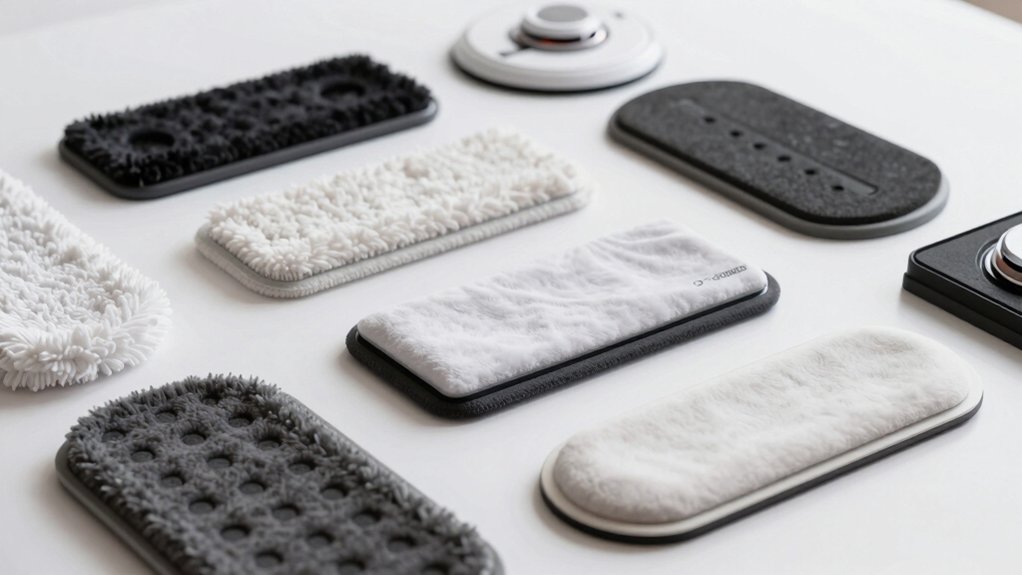
You’ll want the Q/S/E family pads for older Roborock models and the Curv/Edge 4-piece mop cloth set for Curv and Edge series units. However, note CurvX (and some EdgeT/Ultra variants) use a separate SKU and aren’t compatible with the standard Curv/Edge pack.
Always match the exact model name on the product page; check variant notes for exclusions; and confirm the 4-piece packaging and attachment footprint. Keep going to see fit-checks, water-control notes, and buying tips.
Quick Overview
- Curv and Edge families use the standard 4-piece mop cloth pack; confirm the title shows Curv/Edge compatibility.
- CurvX is not compatible with the Curv/Edge 4-piece pack and requires a separate CurvX-compatible SKU.
- EdgeT and Ultra may appear under separate variants; check variant notes for explicit compatibility.
Always match the exact model name on the product page and verify explicit compatibility/exclusions before ordering. Inspect attachment points, pad footprint, and water-distribution channels to ensure physical fit and proper wetting.
Quick Compatibility Answers: Which Roborock Mop Pad Fits My Model?
Wondering which mop pad fits your Roborock? You’ll want to match pads to your model family precisely. The standard Roborock Mop Cloth set is made for the Qrevo Curv Series and also works with the Qrevo Edge Series; it’s explicitly not compatible with CurvX in that main listing.
Product listings show a 4-piece pack for Curv and Edge models, so expect four replacements per purchase. Note a separate variant that lists compatibility with Qrevo CurvX, Qrevo EdgeT, and QX Revo Ultra; that’s a different SKU, not the default Curv/Edge pack. These details create a compatibility nuance you can’t ignore: one pack covers Curv and Edge, another covers CurvX and select EdgeT/Ultra models.
When checking fit, use the model specific constraints stated in the title and variant notes rather than assuming cross-compatibility. If in doubt, match the exact model name on the product page before ordering.
Roborock Mop Pad Types and Why They Matter
Why does the type of Roborock mop pad matter? You rely on the right pad to deliver cleaning performance, fit, and longevity. Different mop cloth designs and mounting interfaces mean one pad set can work for some families and fail on others. Roborock mop pad incompatibilities are real and affect seal, water flow, and wear.
Choose pads that match your model family: Curv and Edge series pads fit as intended, while CurvX compatibility differs. The Mop Cloth set (Mop Cloth*4pcs) is sold as a four-piece package for Qrevo Curv Series and Qrevo Edge Series use; it is explicitly not compatible with CurvX. Packaging and variant notes stress these are accessories for Roborock cleaning systems, not standalone vacuums. Translation gaps may omit labels; therefore, follow accessory compatibility guidelines rather than product titles alone. Always confirm family-specific compatibility to avoid poor fits, reduced cleaning efficiency, or voiding warranty coverage.
Quick Compatibility Chart : Q, S, E, Curv/Edge Families
How do you quickly confirm mop pad compatibility across Roborock’s Q, S, E and Curv/Edge families? Use a quick compatibility approach: check model family labels and the product title.
For Q-family devices, the Roborock Mop Cloth set lists compatibility for Qrevo Curv Series and Qrevo Edge Series; CurvX is explicitly excluded. The product title and packaging call out Qrevo Curv and Qrevo Edge. You can rely on that as the primary indicator.
For S and E families, consult the compatibility table or product listing. Many standard S and E models use different mop pad types, so verify model-specific notes. Remember mop cloths are sold in packs of four pieces per package, which helps with inventory planning.
Translation or labeling gaps may exist; however, core compatibility remains focused on Curv/Edge (not CurvX). Use model-family labels, the product title, and the listed mop pad types to confirm compatibility quickly and confidently.
How to Pick the Right Roborock Mop Pad (Attachment, Size, Water Control)
When choosing a Roborock mop pad, start by matching attachment type, pad size, and water-control compatibility to your model family so you get a secure fit and proper wetting. Check whether your robot is in the Curv or Edge families. The Mop Cloth*4pcs sets are made for Qrevo Curv Series and Qrevo Edge Series; CurvX is excluded from those packs.
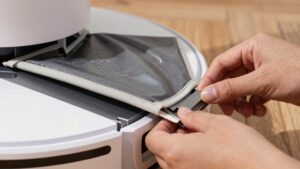
Confirm the physical attachment: some models use hook-and-loop plates, while others use clip-on frames. The wrong attachment leaves the mop pad loose or misaligned at the curv edge. Measure pad footprint against your model’s plate to ensure full coverage and correct water distribution.
Verify water-control compatibility: certain Qrevo variants and QX Revo Ultra list specific cloths or packaging details indicating reservoir and flow characteristics. Buy mop pad sets that explicitly list your model family to avoid fit and wetting issues. Follow manufacturer compatibility notes for a reliable, consistent clean.
Troubleshooting & Buying Tips: Fit Issues, Poor Mopping, Replacements
Troubleshooting mop-fit and performance issues starts with verifying that the cloth explicitly lists your model family (Qrevo Curv or Qrevo Edge) and noting exclusions like CurvX. If the packaging or product page doesn’t match your robot, don’t expect a secure fit or proper wetting.
Check the 4-piece standard pack, confirm variant names on the label, and watch for missing localization that can hide compatibility gaps. If fit or mopping is poor, inspect attachment points, pad alignment, and water-distribution channels.
Replace pads when elastic or hook-and-loop wear prevents a snug seal; buy only Curv/Edge-listed sets to avoid loose mounts. If product pages or translations are ambiguous, contact the seller for model-family confirmation before purchasing.
For damaged mounts, follow repair ethics: choose manufacturer parts or approved replacements to preserve warranty and safe operation.
You’ll avoid returns and uneven cleaning by matching accessory listings to your exact Qrevo family and rejecting items labeled for CurvX or other variants.
Frequently Asked Questions
Are Aftermarket Pads Safe for My Warranty?
Yes, using aftermarket pads can be safe, but it depends. You’ll maintain aftermarket safety if the pads don’t damage the device or void specific warranty clauses.
Check your warranty terms: some manufacturers allow third-party accessories; others limit coverage for resulting damage. Inspect pad materials and fit, keep receipts, and document issues.
If you want full warranty protection, you’ll avoid third-party pads or confirm explicit approval from the manufacturer first.
Can I Machine-Dry Reusable Microfiber Pads?
Yes, you can machine-dry many reusable microfiber pads, but check compatibility testing and washing instructions first. You’ll want to use low heat or a gentle tumble to avoid degrading fibers or backing adhesives.
Skip fabric softeners and bleach; they reduce absorbency and can void performance. Follow manufacturer washing instructions for best life and fit.
Regularly inspect pads after drying to ensure they still attach securely and clean effectively.
Do Pads Differ for International Model Variants?
Yes, international variants can use different pads because local model tweaks (connectors, shape, or firmware-controlled attachments) vary. You should check compatibility before buying to avoid fit issues and potential warranty implications if you force a mismatched pad.
Buy pads specified for your regional model or authorized replacements to maintain performance and keep warranty coverage intact. Contact the manufacturer or authorized dealer for precise cross-compatibility information.
How Often Should I Deep-Clean Mop Pads?
You should deep-clean mop pads every 1–2 weeks with heavier use, or monthly for light use. That deep clean frequency keeps performance and hygiene optimal. Follow pad material compatibility guidelines: microfiber tolerates hot water and mild detergent; foam or blended pads may need gentler care.
Always remove debris first. Avoid bleach or fabric softeners, and air-dry fully. Replace pads when they show wear or reduced cleaning effectiveness.
Can I Use Scented Cleaning Solutions With Pads?
You can, but choose mild, water-soluble scented solutions and dilute them per instructions. Strong perfumes or oil-based cleaners can cause dust buildup on sensors and leave residues that increase friction. This can stress the motor and potentially contribute to battery wear from longer runs.
Rinse pads thoroughly after use and cycle them regularly. Stick to manufacturer-recommended products when possible to maintain performance and avoid voiding warranties.
Conclusion
You now know which Roborock mop pad fits your model family and why pad type, attachment style, and water control matter. Pick the pad sized and shaped for your model (Q, S, E, Curv/Edge), match the attachment method, and choose a microfiber or disposable option based on cleaning needs.
If fit or performance’s off, check compatibility, inspect pads and mounts, and replace worn parts. Buy from reputable sellers for genuine fit and reliable water control.