Ilife Robot Vacuum Battery Compatibility Chart
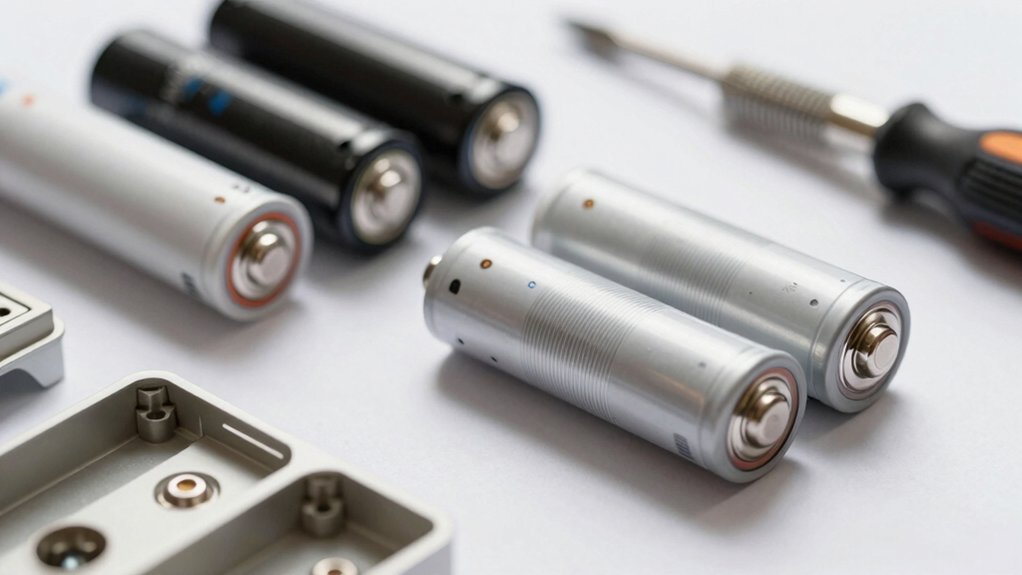
You’ll want to match your ILIFE model to the exact voltage, capacity, and connector. Most A4/A4s/A6/A7/A8/A9, V7-series, and many X/W models use 14.4V or 14.8V Li‑Ion packs, which are common 2.2–3.0Ah sizes. A few specialty modules use lower 4V cells.
Verify physical dimensions, pin type, and BMS protections (short/over‑charge/discharge). Don’t mix voltages; check the model sticker and charger compatibility.
Keep going to get a model-by-model compatibility table and fit tips.
Quick Overview
- Identify your exact robot model (A4, A4s, A6, A7, A8, A9, V7 series, X620, W400, etc.) before matching batteries.
- Match nominal voltage exactly (14.4V vs 14.8V or special 4V modules) to avoid damage and charging issues.
- Choose Li‑Ion packs with compatible physical dimensions, connector type, pin polarity, and chassis latch alignment.
- Prefer packs with MOS‑FET protection, overcharge/over‑discharge safeguards, branded cells, and a ≥10C discharge rating for heavy use.
- Select capacity based on runtime needs (2200mAh short, 2600mAh common, 3000mAh+ extended) and confirm charger compatibility.
Quick Checklist to Find the Right ILIFE Battery
Looking for the right ILIFE battery? Start by matching your model to one of the five compatibility groups: A4/A4s/A6/A7/A8/A9/V7 series and listed Ecovacs/Deebot lines. Note exclusions like V3, V5, V8, and other brands. Confirm the replacement matches original voltage and physical size. The chart shows common voltages (14.4V/14.8V) and capacities near 2600mAh, with some variants at 2200, 3000, or 3400mAh.
Check safety features; ensure built-in MOS-FET protection plus short-circuit, surge, overcharge, and over-discharge protections are specified to protect cells and electronics. Verify cells are branded and assembled to maintain reliability. Review cross-brand compatibility examples (iRobot, Euro-Pro, Dyson, Hoover, Shark, Bobsweep) only if you need alternatives.
Finally, read warranty scope carefully; consider what it covers and for how long. Confirm seller support policies before purchase to avoid surprises and ensure proper battery safety and fit.
14.4V or 14.8V : Which ILIFE Models Need Which?
Which voltage does your ILIFE need: 14.8V (commonly sold as 14.4V-equivalent) or a lower 4V pack? This depends on the model and motor/board design. Always match the replacement to your exact model number.
You’ll find most ILIFE models (A4, A4s, A6, A7, A8, A9, V7 series, W400, X620, V8s, V5s Pro, X3, V3S) use 14.4/14.8V packs. Some specialty modules or accessories use lower 4V cells. Match voltage, connector, and physical size.
| Model group | Typical voltage | Notes |
|---|---|---|
| A4, A4s, A6–A9 | 14.4/14.8V | Standard drive/motor boards |
| V7, V7s, V7s Plus | 14.4/14.8V | Branded cells, direct fit |
| V3S, X3, V5s Pro | 4V or 14.8V | Check exact model number |
| X620, W400 | 14.4/14.8V | 4 MOS-FET protection, charging governance |
Consider battery chemistry and charging governance when replacing. Follow seller fit lists and after-sales support.
Capacity Guide: 2.2Ah, 2.6Ah, 3Ah and Higher
How long do you need your ILIFE to run between charges? Choose capacity by balancing runtime, weight, and compatibility. 2.2Ah suits shorter sessions and smaller models. It keeps weight low while using standard battery chemistry for stable performance.
2.6Ah (14.4V, 2600mAh) is a common midrange upgrade that fits many A-series and compatible units. It offers noticeably longer cleaning without major size changes.
If you need extended runtime, pick 3Ah or higher; these often come as 14.4V or 14.8V and support longer cycles for larger homes. Higher capacities (3.3Ah–5.2Ah) appear across multiple voltages, including 22.2V, so verify voltage and physical dimensions before swapping. Always match the original voltage and size to maintain performance and charging safety.
Finally, confirm the battery chemistry aligns with your charger specifications to prevent damage or reduced lifespan. Improper chemistry mismatch risks charging faults and safety issues.
Check Connectors and Physical Fit
After you pick the right capacity and voltage, confirm the connector type and physical dimensions before installing the replacement battery. You’ll check connector fit against your ILIFE model list (A4, A4s, A6, A7, A8, A9, V7-series, W400/W450, X620, Y8H4, V-series). Match the plug orientation, pin count, and polarity. A wrong connector fit can prevent seating or damage contacts.
Measure physical dimensions—length, width, height—and compare to the original pack so the battery snaps into the compartment without stress. Branded cells and higher discharge ratings don’t help if the pack won’t sit properly.
| Concern | Action |
|---|---|
| Connector type | Verify plug, pins, polarity |
| Connector fit | Test alignment gently |
| Physical dimensions | Measure and compare |
| Clearance | Ensure clips/latches align |
| Support | Contact seller if unsure |
Follow installation guidance and use customer support for fit issues. Note some listings have strict return policies; therefore, confirm fit before finalizing.
What Safety Features the Replacement Battery Must Have
Wondering what protections your replacement ILIFE battery must include? You’ll want built-in short circuit and surge protection to guard the pack and robot from sudden faults. Ensure the battery lists overcharge and over discharge protections so charging stops at safe limits and the cells aren’t driven too low.
Prefer packs using branded cells and four-MOS-FET protection (rather than two) so each cell is managed more safely and thermal/runaway risk is reduced. Look for a stated 10C discharge rating to confirm the pack handles heavy-cleaning loads without exceeding protective circuitry. Confirm the seller documents these safety protections and provides clear installation guidance so you don’t bypass safeguards when swapping packs.
Finally, choose a vendor offering 24/7 support for post-sale questions or immediate safety concerns. These features together minimize risk, preserve performance, and make replacement straightforward and safer for your ILIFE robot.
ILIFE Series Guide: V-Series, A-Series, W-Series Battery Matches
Which ILIFE series matches your robot’s battery needs? Use this quick guide to match V-, A-, and W-Series packs by voltage, capacity, and connectors.
V-Series: common replacements are 14.4V or 14.8V Li-Ion packs (2600–3400mAh). Verify V-model numbers (V8s, V3S) and confirm connector alignment. Choose packs with PCB protections for short-circuit, surge, overcharge, and over-discharge.
A-Series: A4S and similar models typically accept 14.4V Li-Ion replacements in the 3000mAh range. Prioritize original-form-factor fit and multi-MOSFET protection to maintain safe charging cycles and consistent runtime.
W-Series: smaller-format 14.4V/14.8V options suit W-series robots. Capacity varies, so match mAh to expected runtime. Cross-brand compatibility notes apply when packs share the same battery chemistry and specs (Ecovacs, Dibea, Zaco).
Always verify model numbers and protection features listed in the compatibility chart before ordering to ensure fit, performance, and safe charging cycles.
Common Mismatches : Models Not Compatible With These Packs
Because battery shells and connector layouts vary widely, you should never assume a pack labeled 14.4V/14.8V will fit every ILIFE model. The compatibility chart specifically flags V3, V3s, V3s Pro, V5, V5s, V5s Pro, and V8 series as not compatible with those listed packs. It also warns against using them in non-ILIFE brands like Bobsweep, Goovi, or Bagotte. You must check model numbers and voltage/capacity (for example 14.4V/14.8V 2600mAh) before buying.
The chart shows A4, A6, A7, A8, A9, X620, Y8H4, V7, V7s, W400/W450 use tailored packs that exclude V3/V5/V8 families.
| Category | Not Compatible Models | Notes |
|---|---|---|
| V-series | V3, V3s, V3s Pro, V5, V5s, V5s Pro, V8 | Different connectors |
| Other brands | Bobsweep, Goovi, Bagotte | Cross-brand mismatch |
| A/W series | A4/A6/A7/A8/A9/X620/Y8H4/V7/W400/W450 | Tailored options only |
Don’t mix unrelated topics or engage in off topic discussions when confirming compatibility.
Install Tips and Quick Troubleshooting After Replacement
How do you verify a newly installed ILIFE battery is fitted and functioning correctly? First, confirm voltage and capacity match the original (e.g., 14.4V/14.8V, 2600mAh) and that the pack lists compatible models (A4/A4s/A6/A7/A8/A9, V7 series, X620, Y8H4).
Install checklist: power off, seat the pack firmly, secure connectors, and ensure no loose wires. If the vacuum won’t power on, re-seat connectors and inspect for shorts; the built-in MOSFET protection helps but don’t rely on it alone. Verify the replacement arrived charged and ready.
For best results, use branded-cell batteries with protections (short circuit, overcharge, over-discharge) and proper 4 MOS-FET management per cell.
Troubleshooting steps: 1) Reseat and test. 2) Swap charge docks to rule out charger issues. 3) Contact seller’s 7/24 online support if problems persist.
Keep two word discussion ideas like “battery safety” and “fit check” in mind when reporting.
Where to Buy: Verified Brands, Price Ranges, and Warranties
Looking for a reliable replacement battery? Shop verified brands such as iLife, Dibea, Zaco, and Ecovacs, plus ILife’s own A4S, A9, X620, V8S/V5S Pro lines. Prioritize sellers that list model compatibility (H80, W100, V3s) and non Ilife compatibility when relevant. Check chemistry and voltage: match original specs (14.4V/14.8V Li‑Ion, 2600mAh variants) to avoid damage.
Expect price ranges from about Rs 2,400 to Rs 5,700 depending on capacity and vendor. Dyson Absolute replacements appear around Rs 4,720 to Rs 4,900. A 22.2V 1.4Ah Cameron Sino option shows at Rs 77.99 in separate Dyson offers. Look for shipping options: Ship to Home, in‑store pickup, and local availability (examples: Hicksville listings for Cameron Sino).
Confirm safety certifications and warranty terms before purchase. Warranties vary by brand and seller; choose items with clear return policies and at least a limited warranty to protect against premature failure.
Frequently Asked Questions
Are Non-Ilife Third-Party Batteries Safe Long-Term?
You can use non-ilife compatibility batteries, but they’ll carry third party risk long-term. You’ll save money initially; yet third party risk includes poorer cell quality, reduced capacity, faster degradation, and potential safety hazards like overheating.
To minimize problems, you’ll buy from reputable makers with proper specs, check certifications, and expect shorter warranty coverage. If longevity and safety matter, you’ll stick with OEM or thoroughly vetted compatibles.
Can I Mix Battery Types in Dual-Battery Models?
No, you shouldn’t mix battery types in dual battery models. Mixing battery chemistries, capacities, or ages creates imbalance, reduces runtime, stresses charging circuits, and raises safety risks.
Use matched batteries specified by the manufacturer or identical replacements with the same voltage, capacity, and chemistry. If you must replace one cell, replace both or have a professional recondition the pack.
Regularly monitor temperature and performance for signs of problems.
Do Battery Temperatures Affect Warranty Coverage?
Yes, battery temperature can affect warranty coverage. You’re expected to use and store batteries within the manufacturer’s specified temperature range. Exceeding that can void warranty coverage if damage is linked to thermal abuse.
Keep records, follow guidelines, and avoid extreme heat or freezing. If a failure occurs, document conditions and contact support promptly. They’ll evaluate whether temperature-related misuse, not a defect, caused the issue before approving a claim.
How to Dispose of Old ILIFE Batteries Responsibly?
You should recycle old Ilife batteries at a certified e-waste or battery drop-off site; don’t toss them in regular trash. Use local hazardous-waste programs, retailer take-back services, or municipal collection events to ensure proper disposal methods.
Seal terminals, store batteries safely before transport, and never incinerate. Doing this reduces environmental impact, prevents soil and water contamination, and helps recover materials for reuse; this protects ecosystems and public health.
Are Firmware Updates Necessary After Battery Replacement?
Usually you don’t need firmware updates after battery replacement, but you should check for compatibility and manufacturer notes. If the new pack matches battery compatibility specs, the robot will typically work without updates.
Still, firmware updates can improve battery management, charging behavior, and safety; so install them if the maker recommends it. You’ll avoid performance or warranty issues by verifying compatibility and applying any suggested firmware updates promptly.
Conclusion
You’ve got the essentials to pick the right ILIFE battery: confirm voltage (14.4V vs 14.8V), match capacity to your runtime needs, verify connectors and physical fit, and choose packs with proper safety protections.
Use the series guide to avoid common mismatches; follow the install tips, and keep troubleshooting steps handy. Buy from verified brands that offer clear warranties. Do this and you’ll restore reliable runtime safely and efficiently.
You may also like: Robot Vacuum Parts Compatibility Explained — a related guide worth bookmarking.