How to Use a Robot Vacuum Brush Cleaning Tool
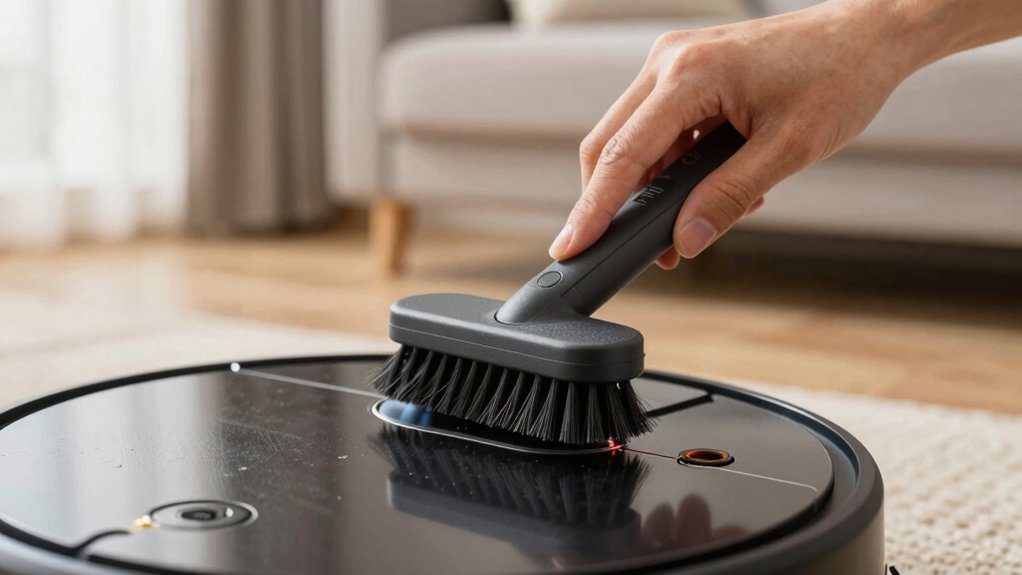
You’ll power off and unplug the unit. Then, press the side tabs and lift the bracket fully. Next, lift the roller out right side first to keep orientation. Open the top lid and slide the built-in blade into the roller grooves. Make one steady pass to cut hair; don’t saw.
Remove loosened hair by hand or tweezers. Clean end caps and axles, then reinstall aligning bottom noses and pegs. Confirm free rotation. Continue for model notes and troubleshooting.
Quick Overview
- Power off and unplug the robot. Press both plastic tabs and lift the bracket to expose the roller brush.
- Note the brush orientation and alignment points before removal. Lift the right side first, then the left.
- Open the top lid to access the built‑in blade tool labeled “mind to blade.” Slide it into the brush grooves for a single steady cut.
- Remove loosened hair by hand or tweezers. Swipe remaining debris with the blade tool’s flat edge and avoid sawing or twisting.
- Reinstall the brush with bottom noses aligned. Secure end caps and spin extractors to confirm free rotation and correct peg alignment.
Access and Remove the Roller Brush Safely
How do you safely access the roller brush? You press the plastic tabs on both sides, then lift the plastic bracket to expose the roller brush. Do this on a stable surface with the unit powered off and unplugged. Visually confirm the bracket is fully raised before you proceed.
To detach the roller brush, lift from the right side first, then the left. Keep track of the side corners so you can reinstall it in the correct orientation. Note the bottom noses and alignment points before removal.
After removal, open the top lid to reveal the blade tool labeled “mind to blade.” You’ll use that tool next to cut and free embedded hair; however, don’t perform cutting here. This step is only access and removal.
When finished inspecting or cleaning, reinstall the roller brush in the original orientation. Align bottom noses first, reattach the cover, and ensure the frame is secure by giving it a gentle pull.
Use the Built‑In Blade Tool to Cut and Free Hair From the Roller Brush
Open the top lid to access the blade tool labeled “mind to blade.” Then position the tool so its edge slides into the roller brush grooves and cut along the brush’s entire length in one steady pass. You’ll perform blade maintenance and targeted debris removal in a single motion: align the blade with each groove, maintain firm, even pressure, and withdraw only after completing the pass.
If hair remains, repeat the same controlled cut; do not saw or twist the tool. Use a pocket knife only to finish ends that the built‑in blade cannot reach, exercising care to avoid the brush material. After cutting, remove the bulk of loosened hair by hand or with tweezers. Then swipe remaining dust and short fibers with the blade tool’s flat edge.
Return the blade tool to its slot on the robot for storage. The process is efficient, methodical, and if you find the label amusing, mildly chuckleworthy.
Clean End Caps, Extractors, and Axles : Model Notes for I/E/J, S, 400–900, Essentials
After you finish cutting and clearing hair from the roller, move on to the end caps, extractors, and axles. These components control brush rotation and must be inspected and reassembled correctly. For I/E/J and Combo 10 Max, remove end caps and extractor caps. Clear debris from extractor frames so bristles and axles are accessible, and inspect for wear.
For S series and 400–900 models (yellow tabs both sides), remove the same caps and inspect the area around the metal axles for trapped hair or buildup. Use a small pick and the cleaning tool to clear crevices while observing cleaning safety: disconnect power and avoid sharp contact with bearings. After cleaning and drying, reassemble and spin the extractors manually to verify free rotation. Resistance indicates damage or need for replacement.
During reinstallation, match brush peg shapes to the cleaning head module to ensure proper alignment and function. Regular tool maintenance prevents premature component failure and maintains reliable brush rotation.
Reinstall Brushes, Align Pegs, and Check Rotation
Want to guarantee smooth brush operation? Reinstall brushes and end caps immediately after cleaning, matching peg shapes to the cleaning head module. For i, e, j, and Combo 10 Max series, confirm extractor frames align with their locating slots and that brushes sit in the correct peg orientation before securing end caps.
For s series and 400–900 series, orient pegs precisely, reattach extractor caps, and ensure end caps click into place. Once reassembled, perform peg alignment checks visually and by feel: pegs should seat flush; frames should not bind. Spin each extractor frame manually; they must rotate freely and without wobble.
Gently pull on the frame to confirm it’s secure and brushes remain seated. If rotation is restricted or the frame shifts, note that replacing brushes or the frame may be required. Document peg positions during disassembly next time to simplify replacing brushes and preserve consistent peg alignment.
Troubleshooting: Stuck Extractors, Replacements, and Where to Buy Parts
If an extractor frame still feels stiff or won’t spin smoothly after cleaning, don’t force it. Inspect for worn bearings, damaged pegs, or debris and plan a replacement if any component shows binding or play. Spin each extractor frame to confirm free rotation. A stiff or seized extractor indicates worn or damaged parts that need replacement.
For i, e, j, and Combo 10 Max series, replace extractors if cleaning doesn’t restore smooth rotation. For s, 700–400, and 400–900 series, verify peg alignment to the cleaning head module before testing rotation. Misalignment can mimic stuck extractors.
Reinstall end caps and brushes matching peg shapes to ensure proper fit and operation. When ordering replacement parts, verify your model series and part compatibility: extractor frames and end caps differ by series. North America customers should use the iRobot Store or contact iRobot Customer Care. Non‑North America customers should visit Global.iRobot.com. Keep part numbers and model info handy to speed procurement.
Frequently Asked Questions
How Often Should I Deep-Clean the Blade Tool Itself?
You should deep-clean the blade tool every 1–2 months; more often if you use the robot daily or notice reduced performance.
For blade maintenance, remove the blade, inspect for hair, debris, and wear. Then soak briefly in mild detergent, rinse, and dry fully before reassembly.
Check seals and fasteners, replace damaged blades, and log cleaning dates. This methodical schedule prevents damage and maintains suction and brushing efficiency.
Can I Use the Blade Tool on Rubber or Silicone Brushes?
Yes, you can use the blade tool on rubber or silicone brushes if the blade compatibility specifies safe use on nonabrasive materials. Inspect the blade edge for nicks and ensure it’s clean before contact.
Work methodically at low pressure; angle the blade to lift debris without cutting the rubber bristles. Avoid excessive force or sharp blades. If you see damage or tearing, stop and switch to a softer cleaning implement.
Is the Blade Tool Safe for Pets With Long Fur Nearby?
Yes, it is generally safe for pets with long fur nearby if you follow precautions. You should assure pet safety by keeping pets at a distance. Use the blade tool only on compatible rubber brushes, and verify blade compatibility before use.
Work methodically: power off the unit, remove the brush, and use controlled strokes away from animals. Monitor pets during cleaning to prevent accidental contact with blades or loose fur.
How Do I Disinfect the Blade Without Dulling It?
You clean and disinfect the blade without dulling it by using a gentle disinfection technique: wipe with 70% isopropyl alcohol on a soft microfiber cloth. Avoid soaking, and work along the edge.
Rinse with water, then dry immediately to prevent corrosion. For blade maintenance, inspect for nicks. Lightly hone only if needed using a fine ceramic rod, and store the tool dry.
Repeat after heavy use.
Can I Sharpen or Replace the Built‑In Blade Tool?
You can usually replace the built-in blade tool; sharpening is rarely recommended. Check manufacturer specs for blade compatibility and approved replacement parts.
If you attempt sharpening, use fine stones and minimal material removal to avoid altering edge geometry and safety features. However, this may void warranty.
For reliable performance, order OEM or certified replacement blades matched by model number. Install per instructions and test operation before regular use to confirm proper fit and function.
Conclusion
You’ve now removed the roller brush, used the built-in blade to cut away hair, and cleaned end caps, extractors, and axles per model notes. Reinstall the brushes, align the pegs, and verify smooth rotation. If extractors stick, consult the troubleshooting tips; replace worn parts, and order genuine replacements from the manufacturer.
Regular inspections and prompt part swaps keep suction and brush performance optimal. This reduces clogs and prolongs your robot vacuum’s service life.
You may also like: Hair From Robot Vacuum Rollers — a related guide worth bookmarking.